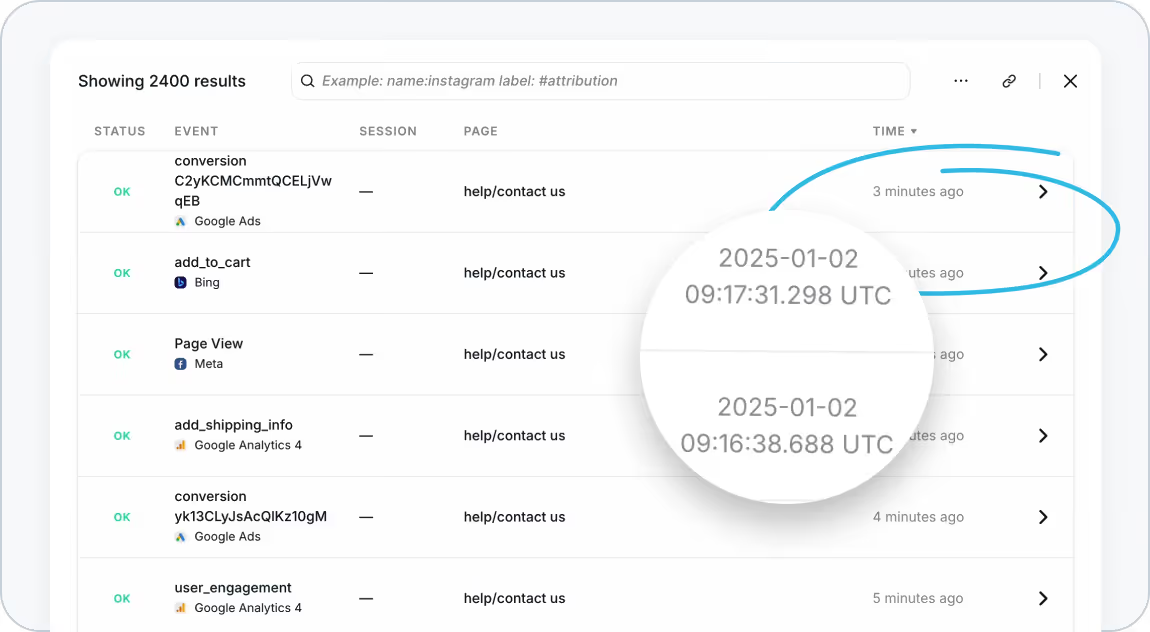
We’re excited to share an update that gives you deeper visibility into your tracking data: timestamps within sessions are now available in Trackingplan!
This enhancement provides precise insights into the timing of your events, helping you detect and resolve issues like event duplication or simultaneous captures.
What’s New?
With the addition of timestamps in your session view, you can:
- Pinpoint Event Timing: See the exact moment each event occurred, displayed in a clear and actionable format.
- Detect Duplicates Instantly: Identify whether events are being duplicated or triggered simultaneously, giving you better control over your tracking setup.
- Improve Debugging Efficiency: Streamline your debugging process by visualizing the flow of events in real time.
How to Access Timestamps
1. Navigate to Trackingplan's Tracks Explorer in your Trackingplan dashboard.
2. Locate the Time column in your session view.
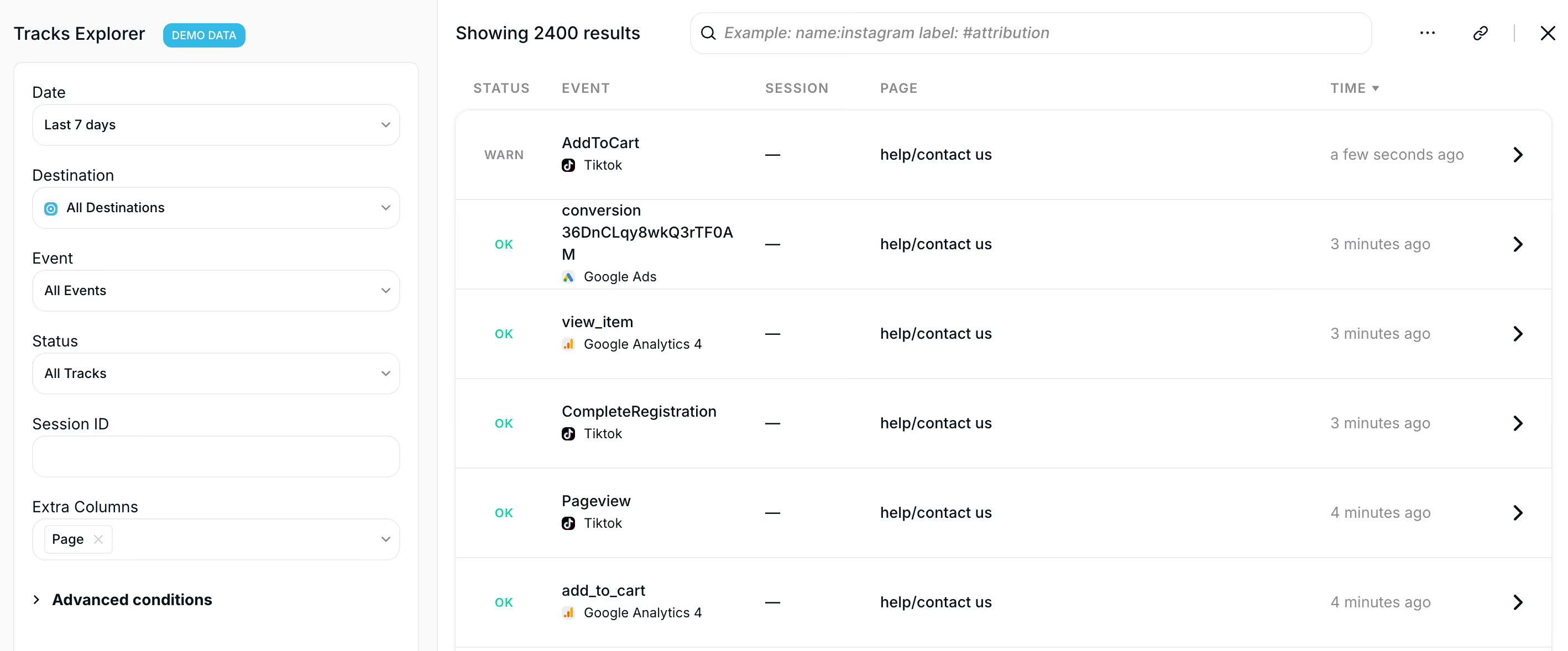
3. Click on the Time column to display event times in timestamp format.
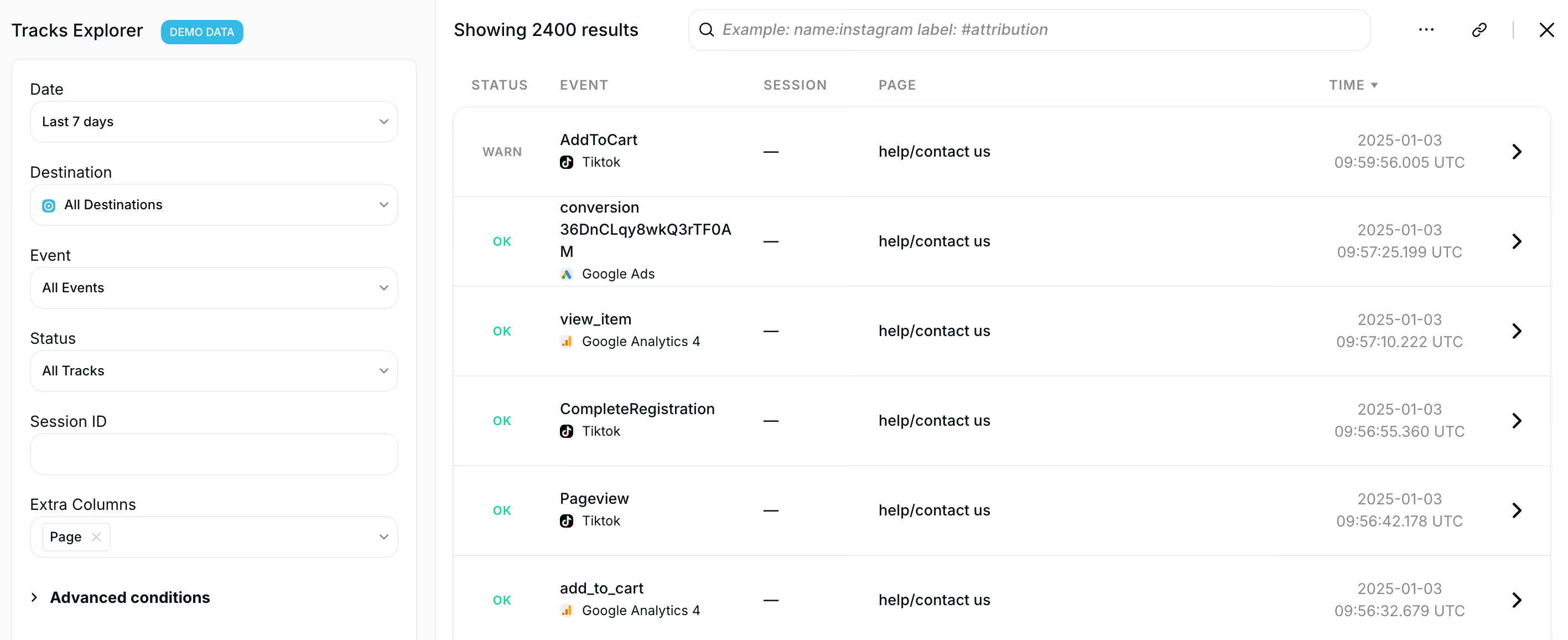
That’s it! Now you have a clearer picture of your session data, with detailed timing information to uncover and address any inconsistencies.
Why Timestamps Matter
1. Gain Precision in Tracking
Timestamps provide a granular view of event timing, ensuring you’re capturing the most accurate data possible.
2. Resolve Issues Faster
Easily spot and fix issues like duplicate events or simultaneous captures to maintain the integrity of your analytics setup.
3. Boost Confidence in Your Data
By validating the timing of your events, you can trust that your data reflects user interactions accurately and reliably.
Streamline Your Data Analysis Today
The introduction of timestamps within sessions is another step forward in helping you maintain data quality and optimize your tracking setup.
Try out this new feature today and experience greater precision and efficiency in your data analysis. Stay tuned for more updates as we continue to enhance Trackingplan to meet your needs!