109 questions answered, in 12 categories: from installing Trackingplan and getting started to pricing, alerts, data privacy and the basics of analytics data.
Reach out to our support team for assistance with any questions or issues.
support@trackingplan.com →Talk to our sales team to learn how Trackingplan can help your business.
sales@trackingplan.com →Explore our detailed documentation to get the most from Trackingplan's features.
Explore our documentation →01 14 questions
Find answers to the most commonly asked questions about the benefits of choosing Trackingplan to help you leverage the value of your digital analytics.
Open category →Trackingplan's auto-discovery engine works by passively listening to all outbound network requests from your site or app. Without any manual schema definition or configuration, it automatically identifies every analytics tool you're sending data to - including event trackers, pixels, CDPs, and ad platforms.
With it, it builds a live inventory of all events, properties, UTMs, and campaigns being collected.
This process starts immediately after installation and requires zero input from your team.
When Trackingplan detects an anomaly, its AI debugging engine analyzes the affected events, properties, and context to automatically pinpoint the root cause. Instead of a generic alert, you get a structured diagnosis: a plain-language summary of the issue, the most likely root cause hypothesis, recommended actions to fix it, and the conditions under which it occurs - with sample hits to reproduce the problem.
What makes this especially powerful is the Potential Impact analysis. Rather than framing issues as purely technical, Trackingplan estimates the business consequences of leaving them unresolved - such as the effect on ROAS, conversion tracking, campaign attribution, or data reliability. This makes it significantly easier to prioritize fixes and communicate their value to stakeholders, clients, or leadership.
Trackingplan is a fully automated data QA and observability solution for your digital analytics created to ensure your data never breaks and always arrives to your specifications by automatically documenting all the data that flows between your sites and apps to third-party integrations.
Trackingplan creates a single source of truth where all teams involved in first-party data collection can collaborate, automatically receive notifications when things change or break in your digital analytics, marketing automations, pixels, or campaigns, and easily debug any problem by being provided with the root cause of the problems affecting your data quality.
Moreover, Trackingplan’s fully automated digital analytics QA solution has been designed to ensure the quality of your data at every stage by spotting bugs in your test cases for you before going into production. That way, you can avoid compromising your data by catching errors before they break your digital analytics.
Trackingplan can help you monitor UTM naming conventions to prevent errors in the attribution of your campaigns and ensure error-free UTMs and ROAS calculations.
This is how:
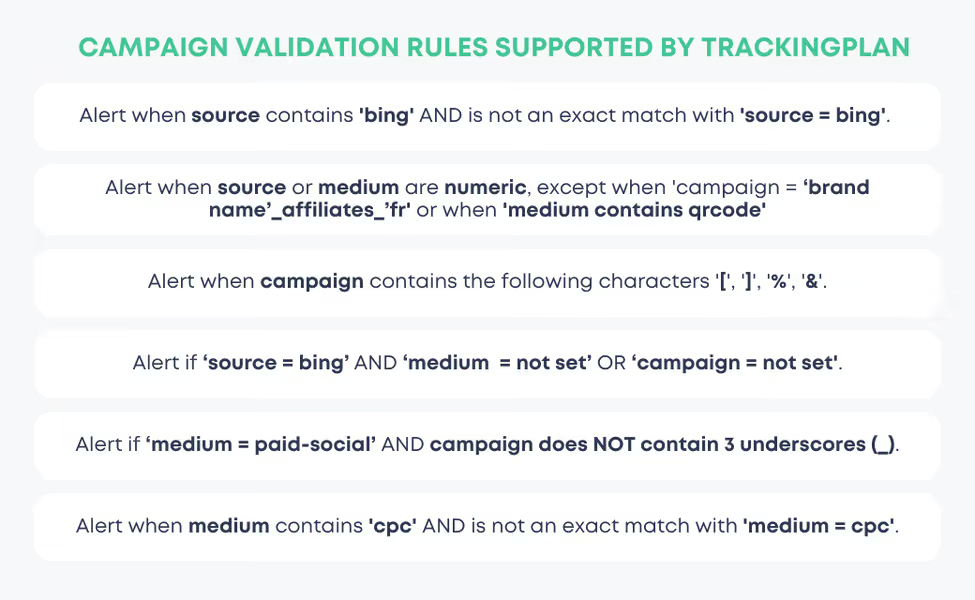
With Trackingplan, you can set up complex validation rules for your UTMs to monitor and ensure the consistency of our naming conventions across different teams dealing with traffic acquisition.
That way, with Trackingplan’s validation campaign functions, you can be immediately alerted anytime we detect inconsistencies in your naming conventions that are against your own requirements and User Acquisition specification rules. This will help you streamline error-resolution processes by being able to fix those issues before compromising the performance of your marketing campaigns.
To learn more about utm naming conventions, we have a special blog post for it.
Use Trackingplan's UTM Builder Tool, a Free Campaign URL Generator that not only helps you create customized UTM-tagged URLs but also sends alerts if your UTM parameters don’t follow best practices. This ensures your campaign tracking remains consistent and accurate across channels, giving you reliable data to evaluate performance.
Unlike other SaaS with setups that take between weeks and months or even force you to change how you code your analytics, Trackingplan is installed in minutes, doesn’t require technical skills to set up or use, and actually observes all the customer data, no matter its nature.
Minutes instead of months. No company disruption
Trackingplan can be installed by anyone that has access to a tag manager or can include a script or SDK in a website or app while allowing all teams involved in the data collection process to keep working as they used to without changing the way you code your analytics or forcing you to pass all your data through us in order to process it.
All integrations out of the box
Trackingplan starts listening to all the data your sites and apps are already sending to your third-party integrations, whether they’re analytics, marketing automations, pixels, or campaigns right after its installation.
What’s more, since our backend understands what each piece of data means, we can identify patterns, detect anomalies, and automatically connect dots to create value from data that was hidden in plain sight.
Sure, Trackingplan supports complex validation rules for your UTMs to allow marketing teams to validate that the campaigns they run comply with their naming conventions.
With it, Trackingplan will automatically alert you any time your campaign names don’t meet the custom rules or the naming conventions you’ve defined to get it fixed before compromising the performance of your marketing campaigns.
Here's a breakdown of how Trackingplan can help you:
Trackingplan allows setting up rules and validations using regex or enums. This enables you to define specific criteria and formats for UTMs, ensuring consistency across various teams and campaigns.
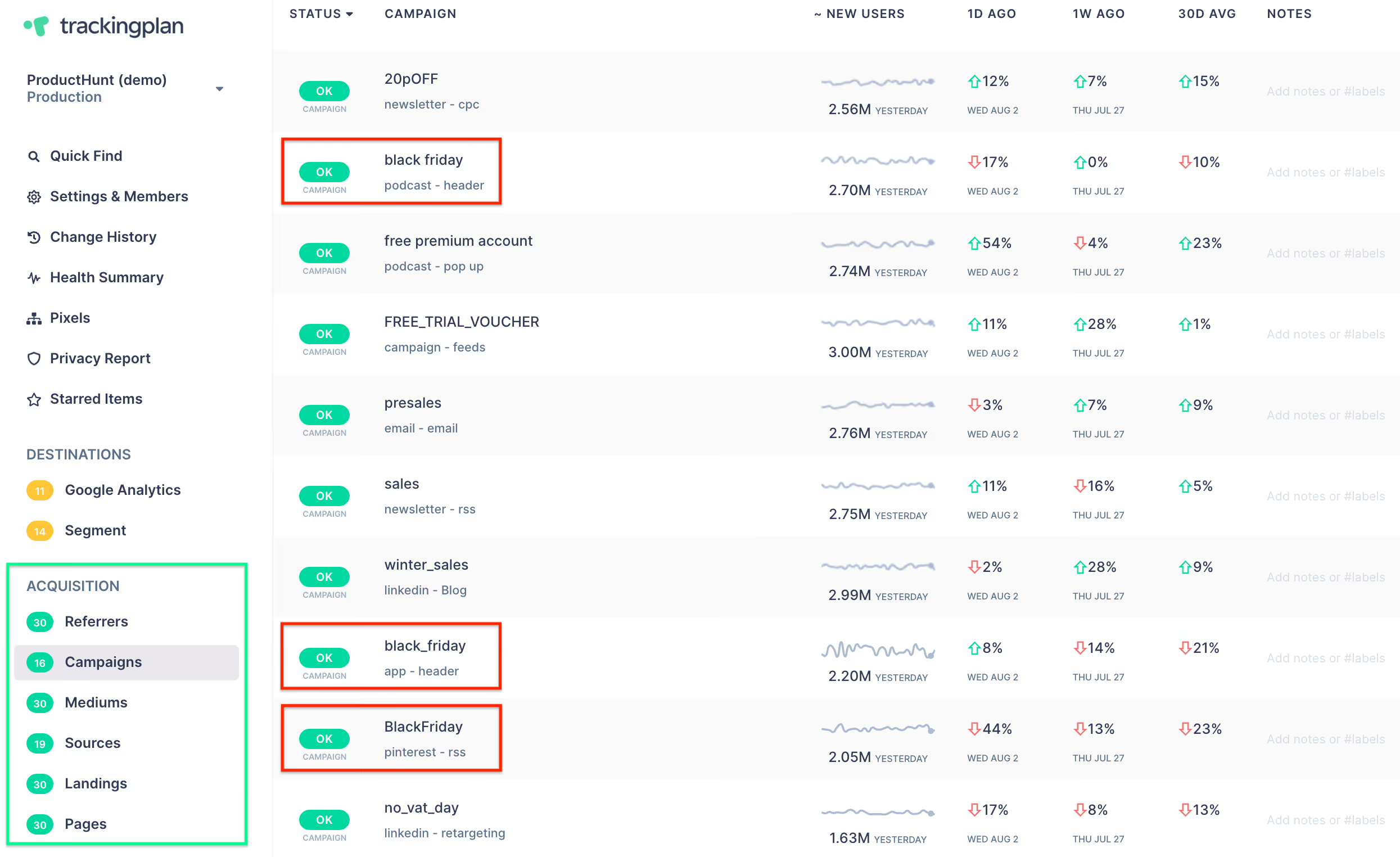
Yet, Trackingplan also supports more intricate validations. For example, it can detect combinations that don't align with your specified conventions, like disallowing 'Black Friday' as a campaign keyword if the medium is 'press', among many others.

Trackingplan’s validation functions are not limited to campaigns alone. Indeed, Trackingplan allows setting validations for various acquisition data points, including landings, referrals, pages, mediums, sources, and even event attributions.
The tool automatically documents statistics for various elements, such as referrers, campaigns, mediums, etc., providing a centralized view to check the consistency of your UTMs. That’s how you can spot inconsistencies in your naming conventions at a glance, highlighting areas that might need optimization for better tracking and ROI calculation.
To learn more about utm naming conventions, we have a special blog post for it.
Use Trackingplan's UTM Builder Tool, a Free Campaign URL Generator designed to simplify and enhance your campaign tracking across multiple marketing channels. This tool allows you to easily create customized, UTM-tagged URLs that follow best practices for tracking source, medium, and campaign information in a standardized format. With Trackingplan's UTM Builder Tool, you’ll receive proactive alerts if your UTM parameters deviate from recommended best practices, helping to maintain data accuracy and uniformity.
By setting up error-free UTM parameters, this tool provides you with consistent, high-quality data, ensuring that each campaign's performance metrics are correctly attributed.
Trackingplan ensures your digital analytics, marketing automation, pixels, or campaigns never break and lets you create alerts on everything that matters to you and your company. Here are some of the benefits of using Trackingplan.
At Trackingplan we know that data collection is a team sport. That is why our mission is to provide an always-updated single source of truth about the status of your digital analytics to ensure all teams involved in the data collection process are on the same page and ensure all the customers’ interactions within your company are accurately collected, responsibly managed, and integrated efficiently across teams and platforms.
In that sense, Trackingplan offers a space conceived and designed to help any member involved in the data collection process within an organization, like data analysts, marketing teams, or developers.
Trackingplan is built for digital analysts, developers, and marketing teams who deal with data quality issues. If your team spends time manually auditing tracking implementations, debugging broken events, or discovering data errors after they have already affected reports or ad spend, Trackingplan automates that entire process. It detects errors in real time, so you can focus on insights, not data firefighting. You can get started for free with no credit card required.
Yes, Trackingplan monitors both websites and mobile apps.
Once installed – via Google Tag Manager, a <head> snippet, or mobile SDKs for iOS and Android – Trackingplan automatically discovers and monitors all analytics tools you're sending data to, including GA4, Adobe Analytics, Meta Pixel, TikTok Ads, Google Ads, Mixpanel, Amplitude, Segment, HubSpot, Adjust, Braze, and any custom in-house collector. No manual configuration required.
For further information, you can always read our documentation to get step-by-step instructions about each installation method.
Not at all. Trackingplan is designed to have a minimal impact on your site. Our lightweight tag, only 10kb in size, has no significant effect on page load times. Additionally, our SDKs are optimized to ensure that your app's performance remains unaffected.The Trackingplan tag loads asynchronously with the page content, responding in less than 500ms.
This means that it won't slow down your site's loading speed. Furthermore, once the configuration is stored in the browser cache, it won't be reloaded during subsequent page views for a period of 24 hours.With Trackingplan, you can gather the data you need without compromising the visitor experience or your site's performance.
Yes, Trackingplan’s automated Analytics QA solution is designed to protect the integrity of your data by detecting errors before they affect your reporting or decision-making.
It continuously monitors your analytics events and validates them against your specifications, ensuring that the data collected is accurate, consistent, and reliable. Any discrepancies are automatically flagged, helping your team quickly address issues and maintain trustworthy analytics across all implementations.
Think of it as a QA layer that runs 24/7, validating every event automatically — so you don’t have to.
Whether you have the classic client-side GTM setup or you are already fully advanced with GTM server-side tagging, you can use Trackingplan to check if the migration works.
Trackingplan automatically discovers the tag implementation you have in your Universal Analytics data layer. That way, you can quickly check if your events are being fired according to your specifications every time you migrate any of your tags to GA4 to can ensure you never lose data throughout the process.
If you’re feeling worried about migrating and the implementation process or you are unsure of where to start or what to do next, Trackingplan's GA4 migration checklist has the solution to help you transition successfully and smoothly.
A tracking plan is a document that businesses use to ensure that all the data points coming from their customers’ interactions are accurately collected, responsibly managed, and integrated efficiently across teams and platforms.
In this sense, a tracking plan serves as a collaborative tool that connects teams throughout an organization to interpret data, glean intelligence, and execute it, thus empowering them to meet their objectives.
A tracking plan helps any member involved in the data collection process within an organization, like data analysts, product managers, app developers, or marketing analysts, detect all data collection activity changes, improve data quality, and track users' interactions. In addition, it provides a roadmap for developers to implement data tracking efficiently and serves as a key reference for analysts and product managers responsible for interpreting the data and creating better customer strategies though them.

02 5 questions
Find answers to the most commonly asked questions about Trackingplan's installation process and discover all the necessary details to get started with ease.
Open category →Trackingplan installs in under 10 minutes with no code changes required to your existing tracking. You can add it via Google Tag Manager (no-code), by pasting a lightweight snippet in your site's <head>, or as a destination in Segment or Amplitude.
For app monitoring, iOS and Android SDKs are also available. Once installed, Trackingplan automatically starts listening to all data your site or app sends to third-party tools and automatically begins discovering and documenting your entire analytics stack, without manual configuration required.
See step-by-step installation instructions in our documentation.
To retrieve your Trackingplan’s snippet, you need to create an account first. This will automatically generate your snippet with your TP_id in order to use it when installing Trackingplan.
Not at all, Trackingplan can be installed in minutes by anyone that has access to a tag manager or can include another script or SDK in a website or app. Moreover, as we listen directly to all the customer data that your apps and websites are already sending to all of your third-party integrations, you don’t need to give us private access to none of your data destinations, as well as we don’t need to process all the data in order to understand it.
This means that all the teams involved in the data collection process teams will be able to continue working as they used to, without causing any company disruption.
Yes, Trackingplan snippet listens in real-time to all the data your site and apps send to third parties integrations. That's why you can have access to your data in seconds instead of hours. And that's why it supports any provider, including the ones that don't have an API, or even your in-house analytics systems.
Some of our clients are already using Trackingplan to monitor their integrations with Apache AVRO, optimize their integrations with Google Functions, oversee the performance of their integrations with Amazon Web Services' Lambdas, integrate their data collection systems based on Apache Kafka, or monitor their integrations with Apache Spark.
Contact us to know more about how Trackingplan can help you monitor your in-house analytics systems.
After installing Trackingplan, we recommend following a few simple steps to make sure everything is working properly.
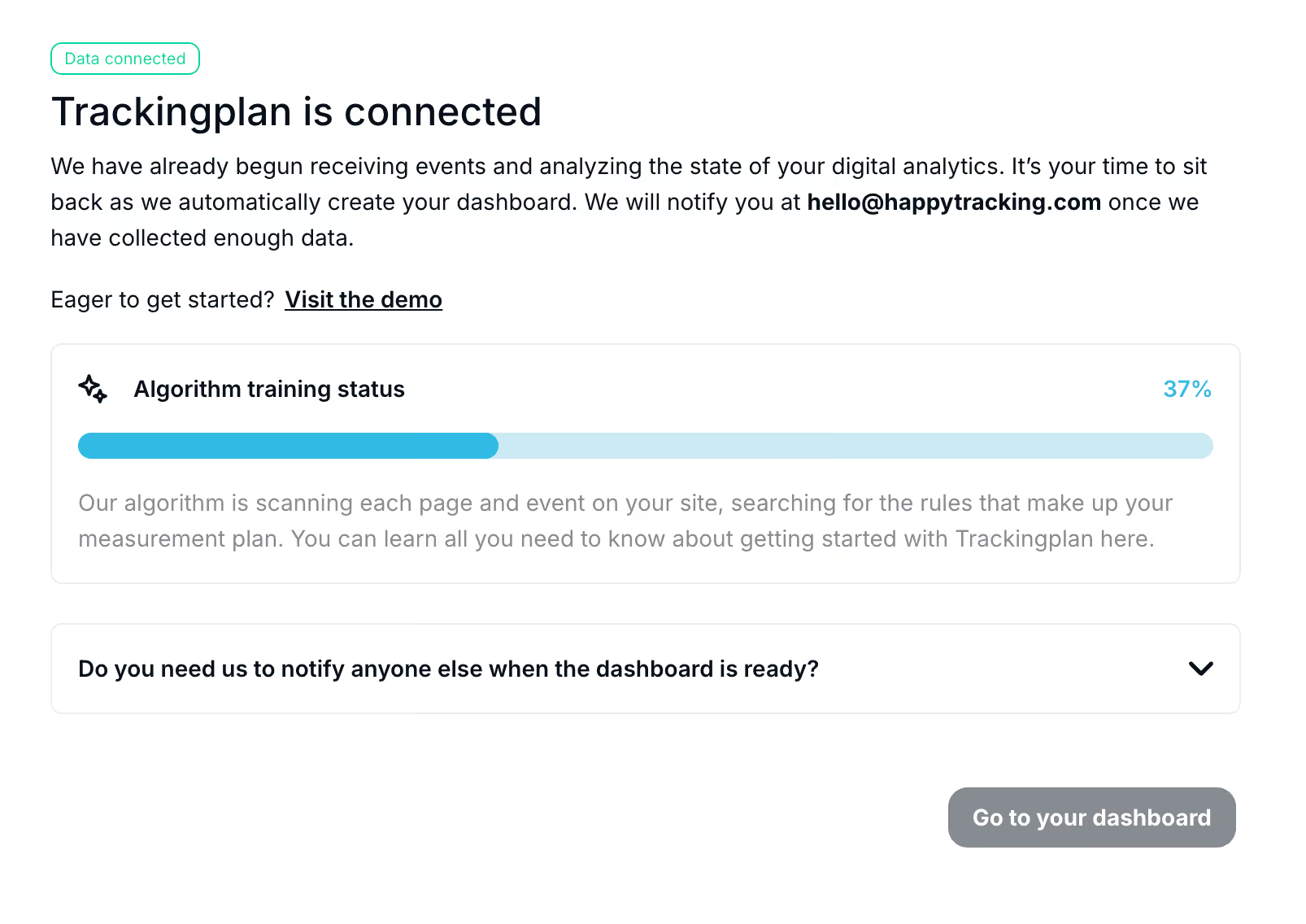
First, visit the Installation Page to confirm that Trackingplan is collecting data from your platform. You should see the status displayed as “Warming Up.”

If everything is set up correctly, a confirmation message will appear on that page.

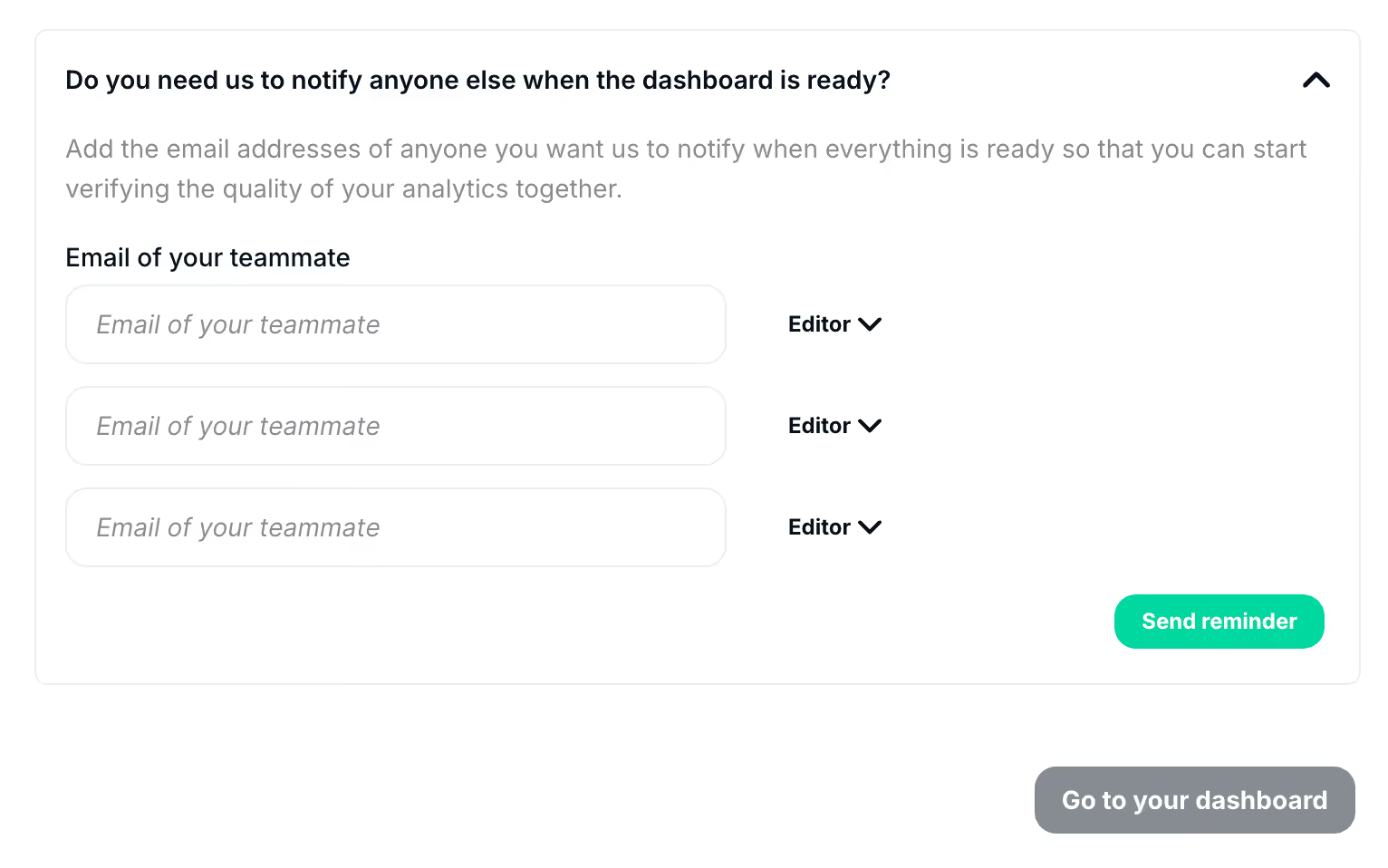
You can also add your teammates’ email addresses if you’d like us to notify them once the dashboard is ready. From there, you’ll be able to assign the appropriate permissions as well.

For new installations, this process can take up to one hour. Please, contact us if you don’t see the previous message after that period of time.
Once the installation is confirmed, Trackingplan will automatically start discovering and documenting all the traffic being sent to your integrations. We’ll notify you as soon as enough data has been collected and your dashboard is ready.
For an extra layer of validation, watch the video below to verify in real-time if Trackingplan's tag is firing correctly.
03 4 questions
Find answers to the most commonly asked questions about Trackingplan's onboarding process in order to better leverage the great potential of our tool.
Open category →Getting started with Trackingplan takes three simple steps:
1. Create a free account to generate your Trackingplan snippet. Install it via Google Tag Manager, by adding a lightweight code snippet to your site's head section, or via iOS and Android SDKs for apps — no code changes to your existing tracking required.
2. Trackingplan automatically starts discovering and documenting all analytics traffic sent to your integrations. No manual configuration needed.
3. Once your dashboard is ready, explore all events, pixels, UTMs, and campaigns automatically discovered. Invite your team, customize your alerts, and start resolving the issues Trackingplan has already spotted.
Trackingplan starts monitoring your data in real time immediately after installation — no lengthy setup, no code changes to your existing tracking. Depending on your traffic volume, your dashboard can be ready in as little as one hour. For lower-traffic sites, it may take up to a week. You will receive an email notification as soon as enough data has been collected and your dashboard is ready.
Don't worry, this is completely normal. Trackingplan will start documenting all the traffic you’re sending to all your integrations right after its installation automatically. That means that, for companies with a lot of traffic, an hour can be enough to recollect the necessary data for our backend to understand what each piece of data means, identify patterns, detect anomalies, and automatically connect dots to create value from data that was hidden in plain sight.
That is the reason why, for companies with small traffic, the process of automatically documenting all the data your customers are sending to all of your integrations with stats and examples might take a little bit longer. We will send you a message once we have collected enough data!
In any case, after installing Trackingplan, we highly recommend you follow these easy steps in order to verify Trackingplan is up and running on your platform and collecting data:
Hurray! After automatically documenting all the necessary data to understand what each piece of data means, identify patterns, detect anomalies, and automatically connect dots to create value from data that was hidden in plain sight, it's your time to dig into all the destinations, schemas, events, pixels, and campaigns Trackingplan’s algorithm has discovered for you.
Onboard all the members involved in the data collection process to ensure everyone is on the same page, customize your warnings so that we can warn you according to your specifications, add regexes and enums to validate your events, and start tackling all the errors that are compromising the quality of your data and that Trackingplan has spotted.
We also recommend you have a look at our Learning Center and Trackingplan's Youtube Channel to squeeze the value of Trackingplan to the max.
04 4 questions
Find answers to the most commonly asked questions about Trackingplan's settings and members to learn in what ways we can help you foster seamless collaboration.
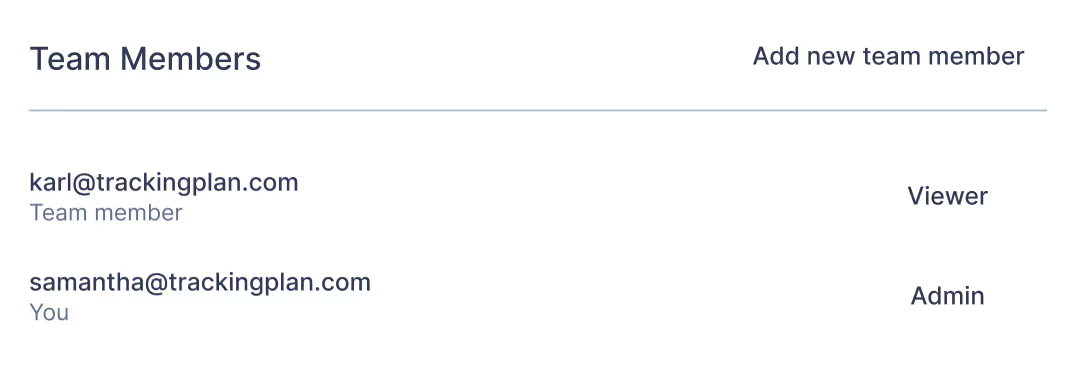
Open category →You can always add more members to your Trackingplan account. For it, just click on Settings & Members and copy and paste the emails of the users you want to add.

You can also specify the roles of these new users. Specifically, there are three different roles that allow users varying permissions in your Trackingplan account:
To reset your password, click on “Forgot your password?” or directly click on this link: https://panel.trackingplan.com/reset.
There, just add the email you used to log in to Trackingplan. You should receive an email in this account with the next steps to reset your password.
In case this procedure doesn’t work, contact us at support@trackingplan.com and we will help.
Trackingplan provides an always-updated single source of truth about the status of your digital analytics to ensure all teams involved in the data collection process are on the same page.
Moreover, you can also add descriptions to your events and properties to enhance cross-team interactions and ensure every member is aligned with your specs.
05 9 questions
Boost your agency’s services with Trackingplan. Ensure data quality and deliver trusted insights without manual audits with flexible partnership options.
Open category →We understand the common challenges agencies face. Things like determining whether the existing data is trustworthy when an agency acquires a new client, maintaining or updating integrations, and knowing whether these changes were successful due to their lack of visibility, or simply knowing when their clients or other agencies made changes that disrupted their operations before it's too late becomes more complex as the number of clients grows.
With Trackingplan, agencies can quickly assess and verify the integrity of their client's existing data, eliminating the need to start over from scratch.
Moreover, it also provides clear visibility into all integration updates and modifications, ensuring that all changes are correctly implemented. Similarly, as Trackingplan continuously monitors for any changes made by clients or other agencies, its system will alert you immediately if there’s any issue.
Yet, by using Trackingplan, agencies can not only overcome these common challenges, but they can also enhance their service offerings, improve efficiency, and boost profitability. That way, by streamlining operations and reducing the time spent on troubleshooting and data verification, agencies can cut costs and find new revenue streams with Trackingplan:
By eliminating the need for manual validations, Trackingplan allows agencies to manage more clients with the same team, helping them operate more cost-effectively.
Agencies are free to mention and add Trackingplan to their portfolio, adding Trackingplan’s services to ensure the quality of their client's data to drive better results and client satisfaction. In this regard, our solution offers data quality management for agencies as an additional service, enhancing their value proposition and attracting more clients.
This can be done by highlighting how their service includes all the advantages of Trackingplan, by bundling Trackingplan as a part of their core offerings, or by charging Trackingplan’s data quality assurance solution as an extra service. This flexibility allows agencies to demonstrate their commitment to top-notch data quality management and to position themselves as leaders in this field.
Trackingplan offers revenue-sharing models, providing agencies with the opportunity to earn passive income. That way, Agencies can earn additional revenue without extra work.
Yes, Trackingplan is the ultimate privacy-first marketing data quality tool designed to meet the diverse needs of agencies of all sizes. Whether you’re a boutique firm specializing in complex technical projects, a small agency managing a variety of accounts, or a medium to large agency with multidisciplinary processes and a wide range of clients, Trackingplan adapts to your requirements.
Moreover, Trackingplan offers versatility across different types of agencies:
For Analytics and Data Agencies, Trackingplan empowers both integrators and analysts to maintain the accuracy and reliability of their analytics implementations and reports. By providing real-time monitoring and alerts, Trackingplan ensures that any discrepancies in data tracking are identified and resolved swiftly. This capability allows agencies to present precise analytics to their clients, enhancing trust and credibility.
For Digital Marketing Agencies, Trackingplan plays a crucial role in enhancing campaign performance. It helps prevent errors in campaign attribution, which can significantly impact clients' performance metrics and return on investment (ROI). By ensuring accurate tracking and reporting, agencies can make data-driven decisions that optimize their marketing strategies.
With flexible, cost-effective pricing and significant volume discounts, Trackingplan integrates seamlessly into every agency's workflow. This marketing agency tool is designed for scalability, allowing agencies to efficiently monitor multiple sites and apps. By centralizing data quality management, Trackingplan streamlines operations, reduces manual errors, and saves valuable time—enabling agencies to focus on delivering high-quality services to their clients.
We offer two primary methods for partnering with Trackingplan. Each is compatible and often both are used simultaneously.
This method allows partner employees to use Trackingplan for any of their clients. Trackingplan integrates seamlessly into the company workflow, saving time and resources while enhancing the quality of their client's marketing and analytics. As a privacy-first marketing data quality tool, Trackingplan ensures that all data handling meets strict privacy standards, giving both agencies and their clients peace of mind.
Moreover, our experience has shown that Trackingplan delivers greater value when monitoring multiple sites and apps. This is why partners have the flexibility to use Trackingplan as part of their internal routines for as many clients as they need.
Also, we know that working that way enables upselling mechanisms that are beneficial for the partner and the end client.
The monthly fee for using Trackingplan as an internal tool is calculated ad-hoc based on an estimate of the number of clients and their estimated traffic, offering significant volume discounts compared to end-client pricing.
Moreover, the partner has the power to communicate or not the use of the tool to its clients, as well as charge them with a license cost for the value provided. The only limitation here is that only internal users within the agency can access the Trackingplan dashboards and digests.
For pricing examples based on your clients and MAUs, please contact us or book us a call.
In this method, partners use Trackingplan with specific clients or prospects, expanding their service offerings and earning a 30% revenue share. Here, the partners can incorporate Trackingplan into their services, bundle it with other offerings, or act as advocates or resellers.
Sometimes it’s not needed, but our team at Trackingplan will be ready to take care of or help in showing the product to the client, doing the sale, procurement, etc. On the contrary, Trackingplan will never contact an end client without the collaboration of the partner.
The fee is based on the number of MAUs and monitored properties, and includes volume discounts. It also covers direct support, customizations, and custom integrations, with a typical 6-week Free Proof of Concept (PoC).
Trackingplan provides extensive technical support to ensure our agencies can effectively use and leverage the full potential of our privacy-first marketing data quality tool. For it, our support includes the following key components:
We train the partner team on how to use and configure Trackingplan for their clients, ensuring that agency staff is well-equipped to maximize the tool's benefits and seamlessly integrate it into their workflows.
We offer a 6-week free PoC, allowing agencies to install Trackingplan for some clients and test its efficacy. For this, we highly recommend starting the PoC with a client App or Website with tracking issues.
For end clients, we also offer a 6-week Free PoC, and it’s up to the partner to decide how they want to be involved in the process once the introduction is made. Trackingplan’s team can take care of the whole sales, procurement, onboarding, training, and success process. On the contrary, Trackingplan under no circumstances will contact an end client without the collaboration of the partner.
Our support and success team is available to assist with any technical issues, questions, or product enhancements that arise while using Trackingplan. This ensures that agencies can promptly address any challenges and maintain smooth operations.
No. The Trackingplan installation script is purpose-built to be lightweight, non-intrusive, and secure—similar to scripts used by trusted observability tools like Datadog and Sentry. At under 10KB, it loads asynchronously, ensuring it never blocks or delays existing page elements or scripts.
Delivered as direct source code, the script eliminates any risk of unauthorized modifications and has undergone rigorous security reviews by highly security-conscious clients, including data-driven and privacy-focused organizations. For added transparency, we provide access to the decompiled script under a signed non-disclosure agreement (NDA) upon request.
Designed with privacy and performance as priorities, the script operates solely on explicitly declared endpoints, intercepting requests to third-party vendor domains selected for monitoring. It performs local anonymization and masking within the browser or app, without introducing new cookies, storage, or cross-site tracking dependencies.
Trackingplan’s script does not collect more data than your site or app already sends to analytics providers. It observes only outgoing requests, forwarding to our backend solely anonymized, relevant data required for anomaly detection—without interfering with your application or compromising user privacy.
To learn more about our security measures and commitment to data protection, please refer to our Privacy Hub.
Trackingplan is committed to strict privacy and data security practices. Our platform:
To learn more about Trackingplan's privacy and security measures, refer to our Privacy Hub.
We offer two primary methods for partnering with Trackingplan. Each is compatible, and often, both are used simultaneously:
The partner can incorporate Trackingplan into their services, bundle it with other offerings, or simply act as an advocate or reseller, and it’s up to the partner to decide how they want to be involved in the process, as Trackingplan’s team can take care of the whole sales, procurement, onboarding, training, and success process.
Yet, it is important to note that Trackingplan respects the commercial relationship between agencies and their clients and that under no circumstances our team will make commercial communications to an end client without the collaboration of the partner.
This opportunity is available even if the partner is not using Trackingplan as an internal tool.
Absolutely. Agencies are free to mention and add Trackingplan to their portfolio.
This can be done by highlighting how their service includes all the advantages of Trackingplan, by bundling Trackingplan as a part of their core offerings, or by charging Trackingplan’s data quality assurance solution as an extra service.
Moreover, Trackingplan will always respect the commercial relationship between agencies and their clients, and under no circumstances will our team make commercial communications to an end client unless the partner explicitly requests to be assisted in showcasing the product, handling sales, and procurement while managing the upselling process.
This ensures that agencies maintain control over their client interactions and preserve the integrity of their client relationships.
Sure, we offer a 6-week free Proof of Concept (PoC), allowing agencies to install Trackingplan as a privacy-first marketing data quality tool for select clients and test its efficacy. We highly recommend starting the PoC with a client App or Website that has existing tracking issues to maximize the impact of our solution.
For end clients, we also provide a 6-week free PoC. The involvement of the partner in this process is flexible; they can choose how actively they want to engage once the introduction is made. Trackingplan’s team is ready to manage the entire sales process, including procurement, onboarding, training, and ongoing success, ensuring a smooth integration of our tool into their workflow.
06 5 questions
Find answers to the most commonly asked questions about Trackingplan's pricing and find the right plan for your business that scales with your growth.
Open category →At Trackingplan we know that data collection is a team sport. That is why our mission is to empower companies with a single source of truth where all teams involved in first-party data collection can collaborate and ensure they are on the same page.
For all this, we won’t charge any extra fee for seats.
Trackingplan provides a roadmap for every member involved in the data collection process within your organization, like data analysts, product managers, app developers, or marketing analysts, to detect all data collection activity changes, improve data quality, and implement data tracking efficiently, and that would be incompatible with a pricing policy based on seats.
In our Growth plan, apart from having the possibility of being assisted throughout Trackingplan’s setup, we also offer email support during office hours (9am-6pm).
Our Enterprise plan includes everything in the Growth plan, plus premier customer success with SLA.
In both plans, you will have your own Support Account Manager that knows your setup and history to solve all your doubts, take all your needs into consideration, and help you so no time is wasted in fixing problems that come up.
No credit card is required to start trying Trackingplan with our free trial version. That means you’ll just need to create an account to start enjoying our error-detection capabilities.
Yes. The Growth plan includes a 14-day free trial with no credit card required. For Enterprise plans, a free Proof of Concept (PoC) period is also available so you can evaluate the solution against your specific business needs before committing.
While our Free Plan provides excellent automatic error detection capabilities, please keep in mind it also comes with some limitations, especially depending on your business’ size.
That’s our plans are designed to give you the option to scale as your company grows.
To learn more, you can view our pricing comparison table, or get in touch with us for extra guidance; we’ll assist you in choosing the best plan for your websites and apps.
07 8 questions
Find answers to the most commonly asked questions about how Trackingplan automatically sends you alerts about all updates or issues in your tracking.
Open category →Trackingplan automatically detects and alerts you about missing or dropped events, unexpected traffic drops or spikes, property type mismatches (e.g. a string where a number is expected), naming convention violations in events and UTMs, broken pixels (Meta, TikTok, Google Ads), consent and PII leaks, schema changes introduced by third-party tools, and regressions between releases. All monitoring runs continuously 24/7 in the background, with no manual checks required.
Moreover, Trackingplan's Digests will notify your team with all you need to know about the state of your data at the beginning of your work day so that you can work on what you do best instead of having to find those errors by yourself.
To identify and correct errors, inconsistencies, and inaccuracies in the data your apps and websites are sending to third-party integrations (e.g.: Google Analytics, Segment, Mixpanel, etc.) and ensure all this data enters the system correctly with the desired quality standards, it is essential that proper data checks are implemented. This is where data validation techniques come into play.
Moreover, data validation techniques serve as a proactive mechanism designed to intercept and rectify issues before errors compromise the integrity of your data.
With Trackingplan, you can be automatically notified whenever your properties, events, and user acquisition data don’t conform to the values you have specified. Here are some of the data validation mechanisms that Trackingplan supports to ensure your data always arrives to your specifications and, in case they do not, notify you so you can fix it in record time.
For more information, check out our blog post on bulletproofing your digital analytics with data validation, where we clear all your doubts.
Trackingplan automatically alerts you about any data validation error happening in your digital analytics, spotting issues for you so you can focus on what you do best.
However, at Trackingplan we know sometimes, after receiving an alert, it can be a bit hard to know what to do next, especially when this has to do with a property or event with data validation issues that do not conform to the values you have specified.
Hence, if you usually struggle to find the root cause of those warnings related to properties missing or not conforming to the data validation rules or constraints specified, our Warning Debug feature is for you.
For more information, check out our blog post on debugging analytics problems, where we dive into the details.
Trackingplan comes with predefined alerts based on your business type, but every rule is fully customizable. You can configure tolerance thresholds, show or hide specific warning types (missing events, traffic drops, type mismatches, naming convention violations), and set per-event or global rules. This means you only get notified when conditions that actually matter to you are met, without generating alert fatigue
Yes, you can create new events and define their specifications in advance with the Draft Event button you’ll find in the top right of your Dashboard.
You can also specify which properties these new events will include and adjust the type and required constraints you expect from them.
Once an event appears for the first time, Trackingplan will automatically show it in the draft created and will validate it according to the specification you had already set up, generating warnings if applicable. As long as no hits are detected, the event will appear as OFF.
We will also send you an alert once this event goes live in each of your environments, like staging or production, so that the person in charge of defining its specification can easily check if the dev team implemented the event correctly or vice versa. In case it’s not, you can immediately alert about the issue and get it fixed, instead of noticing when it’s too late and the data is missing.
Trackingplan will also automatically notify you whenever your properties and events stop conforming to the values you have specified. These are the types of validation errors we currently detect:
In a sentence, Trackingplan’s Digests could be summarized as “all you need to know about the state of your data collection efforts at the beginning of your work day”.
Trackingplan will send you an email or Slack on a daily basis with a general overview of the state of your data so your team can work on what they do best instead of having to find those errors by themselves.
To learn more about what Trackingplan’s Digests include and how they can help you stay updated and quickly glean valuable insights about new problems or changes in your digital analytics across your team, read our documentation.
You can add as many recipients as you want to make sure all the members involved in the data collection process are on the same page.
To do this, you’ll just need to click on Settings & Members and add the emails of all the recipients you want to be receiving Trackingplan’s Daily Digest on a daily basis.
08 4 questions
Find answers to the most commonly asked questions about Trackingplan's automated QA solution to help you enhance the quality of your Digital Analytics.
Open category →Data quality testing is a critical process in the realm of data management and analytics. It involves the rigorous assessment and validation of data to ensure accuracy, consistency, reliability, and relevance. This process is essential for organizations seeking to derive meaningful insights from their data and make informed decisions.
In the digital era, data is a valuable asset. However, the value of this data is contingent on its quality. Poor data quality can lead to misguided strategies, inefficient processes, and erroneous conclusions. Data quality testing mitigates these risks by ensuring the data used in analyses and decision-making processes is of high caliber.
Data quality testing typically involves several key steps:
1. Data Profiling: This initial step involves examining the existing data to understand its structure, content, and interrelationships.
2. Defining Data Quality Rules: Based on the data profiling results, specific rules and standards are established to measure data quality.
3. Data Cleansing: This step addresses issues identified during profiling, such as removing duplicates or correcting errors.
4. Data Validation: The data is then checked against the predefined quality rules.
5. Monitoring and Continuous Improvement: Data quality is an ongoing process. Regular monitoring and updates to the data quality rules are crucial.
Automation plays a pivotal role in data quality testing. Automated tools can rapidly process large datasets, identify anomalies, and even correct certain errors. This not only increases efficiency but also reduces the likelihood of human error.
In summary, data quality testing is an indispensable part of managing and utilizing data effectively. It ensures that the data on which organizations base their critical decisions is accurate and reliable.
By implementing Trackingplan, you can ensure that your analytics data is accurate, complete, and reliable—without relying on complex pre-production tests or regression testing processes.
Trackingplan’s automated Analytics QA continuously monitors your events and data pipelines, helping teams detect inconsistencies, prevent errors, and maintain trustworthy analytics across all implementations.
Besides production, you can run Trackingplan on other environments – like staging or development – to detect problems before a release.
Integrating your staging and testing environments and comparing them to your baseline allows you to see the differences between one release and the next, detecting broken events or schemas before releasing them.
To set it up, you’ll just need to modify this init according to your specifications and your own TP_ID and add it at the top of the <head> section of your site, or include it as a new Google Tag Manager Script. Learn more here about how to install Trackingplan on your websites.
As you can see, the installation process is the same as the one you carried out when installing Trackingplan. The only thing that changes here is the environment variable within the init provided above.
To integrate different environments using Segment, just add the query parameter &environment=<environment_name> to your webhook endpoint to have the desired behavior. For the production environment, you should use PRODUCTION.
As a result, you can also cover the analytics service integrations in your existing release testing by simply integrating Trackingplan without changing your feature or testing code in any way. That way, any existing automated QA you have implemented, such as functional or non-functional regression testing (e.g. with Cypress), will stress your analytics under the watch of our system.
Not at all. With Trackingplan, you can compare your current tests with your expected baselines without changing your tests in any way. Just Plug & Play!
09 8 questions
Find answers to the most commonly asked questions about the benefits of choosing Trackingplan to ensure your company's data quality.
Open category →Digital analytics is how you turn raw clicks, taps, and scrolls into a clear story about your users. At its heart, it’s the process of gathering, measuring, and analyzing digital data from your websites and apps to truly understand user behavior and make smarter business decisions.
Think of it as the indispensable guide for your business, turning a sea of anonymous user actions into strategic, actionable direction.
Imagine trying to run a retail store completely blindfolded. You hear the front door chime, but you have no idea who’s coming in, what they're looking at, or why they're leaving empty-handed. Running a business online without digital analytics is exactly like that—a total guessing game.
Digital analytics is the map that lights up this unknown territory. It gives you the tools to see what your customers are doing online, just as a store manager would watch shoppers move through the aisles. Instead of asking vague questions, you can finally get concrete answers to your most pressing business problems:
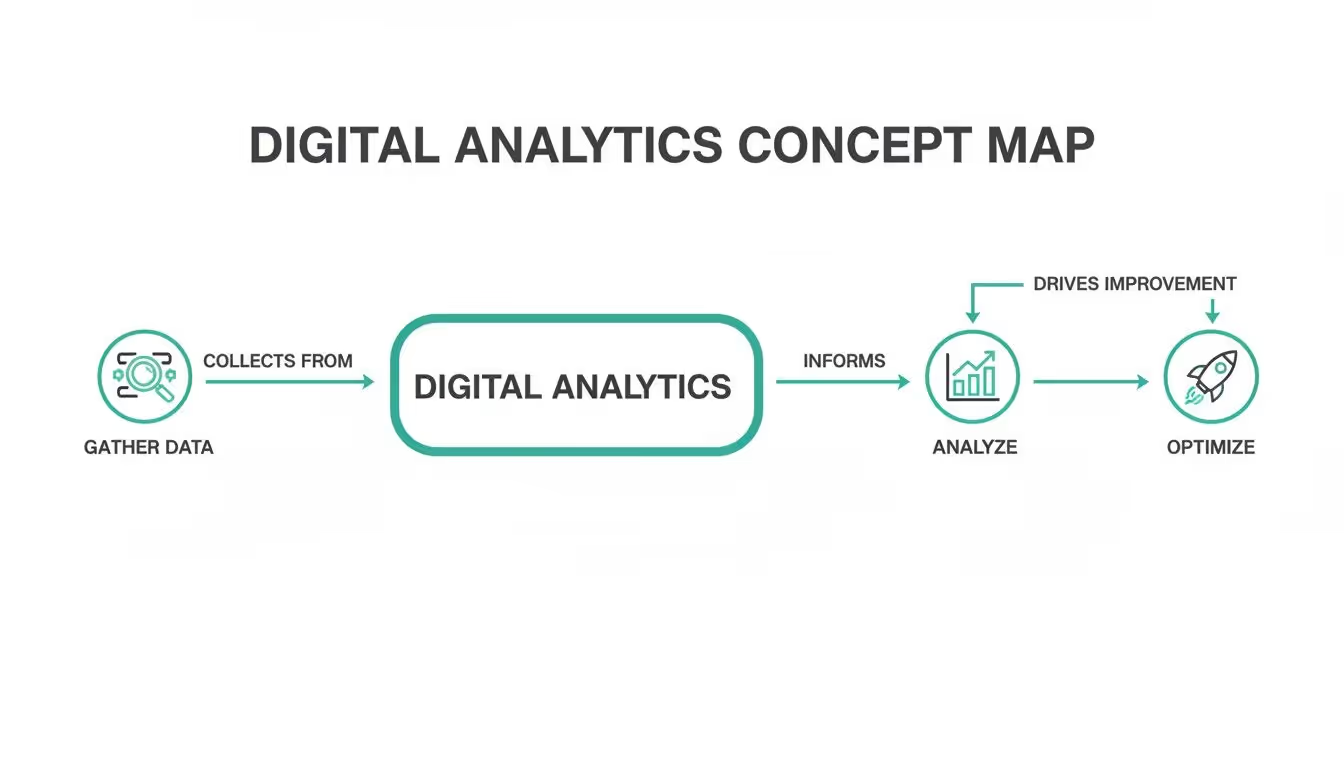
To really get a handle on it, the entire digital analytics process can be broken down into four fundamental pillars. Each one builds on the last, creating a powerful cycle that transforms raw data into real-world improvements for your business.
This cycle is the engine that drives modern digital strategy. Let's look at each stage.
Following this systematic approach isn't just a good idea—it's becoming essential. The global data analytics market is expected to explode from USD 64.75 billion in 2025 to a staggering USD 785.62 billion by 2035. That number alone shows just how seriously businesses are taking data to get a competitive edge.
To round out your understanding, it’s also helpful to see how digital analytics fits alongside related fields like what is business intelligence analytics, which often takes a wider view of all business data. For a deeper dive into the fundamentals and more advanced topics, our library of guides on digital analytics has you covered.
To really get what digital analytics is all about, you have to speak its language. The analytics world is full of terms that can sound a little intimidating at first, but they all boil down to a handful of core concepts. Once you get a handle on these building blocks, any analytics report will start to click, transforming from a confusing spreadsheet into a clear story about your users.
At the heart of it all is data collection. Think of your analytics tool as a tireless digital note-taker, meticulously recording every meaningful action a user takes on your website or app. This is all made possible by small snippets of code—often called tracking codes or pixels—that observe and report back on user behavior.
This whole process can be broken down into a simple, continuous loop.

As you can see, you gather data, analyze it to find out what’s actually happening, and then use those insights to optimize the experience. Then you start all over again.
Two of the most common terms you’ll run into are metrics and dimensions. The easiest way to keep them straight is to think of metrics as the what and dimensions as the who, where, or how.
A metric is a number. It's a raw, quantifiable measurement of something happening. For example, "500 visitors" is a metric. Simple.
A dimension, on the other hand, adds context to that number. It describes the data. If you find out those 500 visitors came "from organic search," the phrase "from organic search" is the dimension. It gives the number meaning.
Key Takeaway: Metrics are the numbers in your reports (e.g., sessions, pageviews, conversion rate). Dimensions are the labels you use to slice and dice those numbers (e.g., country, traffic source, device type).
Without dimensions, metrics are just numbers floating in a void. It's the combination of the two that unlocks real, actionable insights.
Modern analytics is built around the idea of events. An event is just a specific action a user takes. Instead of only tracking something broad like page views, event-based analytics lets you zoom in on the granular interactions that actually matter to your business.
Think of each event as a verb in the story of a user's journey.
video_playedadd_to_cartform_submittedlogin_successfulEach one tells you something specific the user did. But events get way more powerful when you add more detail through event properties and user properties.
video_played event, a property could be video_title: "Product Demo" or video_duration: "120 seconds".plan_type: "Premium" or join_date: "2024-05-15".When you put it all together, you get a rich, detailed picture. You don't just know someone played a video; you know a premium user who joined last month played the 120-second product demo. Now that’s useful.
Finally, let's talk about attribution modeling. Imagine your business scores a goal—a customer makes a purchase. Attribution is how you figure out which players on your team deserve credit for that goal.
Was it the striker (a Google Ad) who took the final shot? Or maybe it was the midfielder (a blog post) who made the crucial pass that set everything up?
Different attribution models assign credit in different ways:
Choosing the right model helps you understand which marketing channels are actually moving the needle, allowing you to invest your time and money a lot more wisely. It’s the final building block that connects user actions to real business results.

Okay, the concepts are one thing, but seeing analytics in action is where everything clicks. Data on its own is just a pile of numbers. Its real magic comes from empowering teams to make smarter, faster decisions that actually move the needle on business goals.
Let's step away from the theory and look at a few real-world scenarios. Think of these as mini-stories showing how different teams use analytics to solve nagging problems and turn user behavior into a roadmap for growth.
Picture an e-commerce marketing team watching their customer acquisition cost (CAC) creep up. They were pouring more money into ads, but sales weren't keeping pace. Instead of just guessing or making blind budget cuts, they dove into their analytics platform.
Looking at their attribution data, they found the culprit: a high-budget ad campaign driving tons of clicks but almost zero conversions. The analytics painted a clear picture—users from this ad were hitting the landing page and bouncing almost immediately.
Armed with that knowledge, they paused the failing campaign and shifted that budget to another channel. This other channel had less traffic, but its conversion rate was through the roof. The impact was immediate.
This is a classic example of analytics providing the hard evidence needed to stop wasting money and start investing it wisely. It’s a core function of web analytics, a market that’s set to explode from USD 7.98 billion in 2025 to USD 16.36 billion by 2030, all thanks to the non-stop growth of e-commerce. You can discover more insights about this growing market if you're curious.
A SaaS company’s product team was stumped. Sign-ups were strong, but a huge chunk of new users were dropping off during onboarding and churning within days. Their gut told them the product was just too complex.
But the data told a different story. By building a funnel report in their analytics tool, they could see exactly where users were getting stuck. The report showed a massive, unexpected drop-off at a single step: the prompt to "invite your team." It was an optional step, but its placement was so confusing that users were just giving up and leaving.
Key Insight: The product team learned that a seemingly minor UI decision was having a major negative impact on user activation and long-term retention.
They quickly launched an A/B test. One version had the old flow, and the new one moved the "invite" prompt until after the main setup was done. The results were staggering: the new flow increased onboarding completion by 45%.
Over in the sales department of a B2B company, the team was overwhelmed. They were treating every lead the same, wasting hours on prospects who were just kicking tires. They desperately needed a way to spot the serious buyers.
The solution? They connected their analytics platform to their CRM and built a lead scoring system based on what users were actually doing on the site. Different actions were assigned points, creating a clear signal of intent.
Now, whenever a lead's score hit a certain number—let's say 50 points—the system automatically flagged them as a "hot prospect" and pinged a sales rep. This simple change let the team zero in on people ready to talk, boosting their lead-to-close rate by 25%.
These stories show that digital analytics isn't just for data scientists locked in a back room. It’s a practical tool for marketers, product managers, and salespeople to answer their biggest questions, break down silos, and get everyone focused on what truly works.
Collecting mountains of digital analytics data can feel like a huge win, but it’s only the first step. The real value comes when you can actually trust that data enough to make critical business decisions. Unfortunately, many organizations stumble into common pitfalls that silently corrupt their data, eroding trust and turning expensive analytics platforms into digital ghost towns.
Having data isn’t enough; you need data integrity. The moment teams lose confidence in the numbers, they go right back to guesswork and gut feelings. That completely defeats the purpose of having analytics in the first place.
Let's break down the most common mistakes that can derail your entire analytics strategy before it even gets off the ground. These issues range from simple human error to complex technical breakdowns, but they all lead to the same ugly outcome: unreliable insights and wasted potential.
One of the most frequent—and damaging—issues is the lack of a standardized naming convention. Just imagine one team tracks a button click as CTA_Click, another calls it buttonClick, and a third logs it as Clicked-Get-Started-Button. When you try to build a report on how many users clicked that one button, the task becomes nearly impossible.
This seemingly small oversight creates immense "data chaos." Reports become fragmented and confusing, forcing analysts to spend hours just trying to piece together related events instead of actually uncovering valuable insights.
Key Takeaway: A consistent naming convention acts as a universal language for your data. Without it, your analytics becomes a collection of disconnected whispers instead of a clear, unified story about your user journey.
This inconsistency makes it incredibly difficult to perform accurate analysis, compare performance over time, or have any real confidence in the conclusions you draw from the data.
Another classic pitfall is when website or app updates silently break existing analytics tracking. A developer might change a button's ID or refactor a section of code, completely unaware that those changes are tied to crucial analytics events. Suddenly, your "Purchase Complete" event stops firing, and you're left with a massive, gaping hole in your revenue data.
These breaks often go unnoticed for weeks, sometimes even months, leading to incomplete datasets and seriously flawed conclusions. By the time someone realizes data is missing, it's often too late to recover what was lost. This forces teams to make decisions based on an incomplete picture of reality. This is one of the most common issues, and you can learn more about how to spot the 7 signs your analytics is broken and how to fix it in our detailed guide.
Perhaps the most seductive pitfall of all is the focus on vanity metrics. These are the numbers that look impressive on the surface but have little to no real connection to business outcomes. Think total page views, social media likes, or the number of app downloads.
Sure, these numbers can feel good to report in a meeting, but they don't tell you if your business is actually growing or if users are finding value. A million page views mean nothing if none of those visitors ever convert into paying customers. Focusing on these metrics can lead your team down the wrong path, optimizing for numbers that don't actually contribute to the bottom line.
True success in digital analytics comes from focusing on actionable metrics that are directly tied to your business goals. These include:
Making the switch from vanity to actionable metrics is essential. It ensures your efforts are concentrated on activities that genuinely drive sustainable growth and improve the user experience, making your analytics strategy a true asset rather than a source of misleading confidence.
After seeing how easily data can go off the rails, it’s obvious that a reactive approach to digital analytics is a recipe for disaster. Just having data isn't enough; you need data you can actually trust to make decisions. The solution is to shift from fixing broken reports after the fact to proactively guaranteeing data quality from the very start. This is the whole idea behind analytics observability.
Think of analytics observability as an automated security system for your data pipeline. Instead of you manually digging through reports to find weird numbers, it constantly watches the flow of data from your site and apps into your analytics tools, flagging problems the second they pop up.

This proactive approach turns analytics from a messy, unreliable chore into a trustworthy engine for making smart calls. It gives your teams the confidence they need to stop second-guessing the numbers and start using them to drive growth.
Modern observability platforms don't just sit around waiting for problems to surface in your dashboards. They get to work by automatically scanning your digital properties to build a complete, living map of your entire analytics setup. This map includes every single event, property, and user trait you're supposed to be tracking.
Once that baseline is locked in, the system acts like a vigilant watchdog, constantly on the lookout for any deviations or errors.
add_to_cart event, you’ll get an alert in minutes, not weeks.price property is mistakenly sent as text instead of a number—before that bad data ever pollutes your reports.This continuous validation is the key to building and maintaining trust in your digital analytics. It systematically eliminates the "garbage in, garbage out" problem that plagues so many organizations.
Of course, to truly trust your analytics, implementing robust data cleaning best practices is also non-negotiable, as it perfectly complements this automated verification.
When you adopt an observability strategy, you fundamentally change how your entire organization deals with data. That endless, frustrating cycle of discovering data gaps, scrambling to find the cause, and trying to clean up months of corrupted historical reports finally comes to an end.
This shift brings huge benefits. Instead of constant firefighting, your teams can focus on strategic projects, moving forward with full confidence in the numbers that guide them. This is more important than ever.
The advanced analytics market, valued at USD 94.63 billion in 2025, is projected to reach an incredible USD 305.42 billion by 2030. This growth is all fueled by the demand for reliable, data-driven decisions.
For a deeper dive into how this all works in practice, you can learn how to bulletproof your digital analytics with data validation. In today's world, this kind of proactive quality assurance isn't a luxury—it's a must-have for any business that wants to make smart, data-informed moves.
Alright, you’ve made it. You now have a solid grasp of what digital analytics is, why it's so important, and how to make sure the data you're collecting is actually reliable. The path from raw clicks to confident, data-backed decisions should be looking a lot clearer now.
So, what's next? It's time to put that knowledge into practice. The key is to start small and build momentum. Don't try to boil the ocean by tackling everything at once. Focus on manageable steps that deliver real value right away.
Before you start digging through reports, take a quick inventory of what you’ve already got. This isn't a massive, multi-week project. Just set aside an hour to answer a few basic questions and get a baseline.
This quick check-up will show you what’s working, what's missing, and where your biggest opportunities are hiding.
Key Takeaway: A simple audit turns the vague idea of "improving analytics" into a concrete to-do list. It gives you a clear path forward.
Start by asking these simple questions:
The best analysis always starts with a great question. Instead of getting lost in a sea of dashboards, pick one critical business question you want to answer this week. This laser focus keeps your analysis purposeful and stops you from chasing vanity metrics.
Your question needs to be specific and tied to a business goal. For instance:
Once you have your question, jump into your analytics tool and hunt down the answer. Nailing that first insight is a powerful win.
Getting good at digital analytics is an ongoing process, not a one-and-done task. As you get more comfortable, you'll naturally want to go deeper. Luckily, there are tons of fantastic, beginner-friendly resources out there to help you along.
Here are a few of the best places to keep learning:
By taking these small, actionable steps, you'll be well on your way to making smarter decisions and driving real growth for your business.
As you dive into digital analytics, you're bound to have some questions. It's a field that can feel massive at first, but the core ideas are actually pretty simple. We've put together answers to some of the most common questions we hear to give you a solid starting point.
Think of this as your quick-start guide. It’s designed to clear up the concepts that trip up beginners and even pop up for seasoned pros. Let's get into it.
At its heart, the goal of digital analytics is to turn all that raw data from your website and apps into clear, actionable insights. It’s about finding the story hidden inside the numbers—who your users are, how they found you in the first place, and what they actually do once they arrive.
Ultimately, these insights give you the power to make smart decisions that improve the user experience, sharpen your marketing campaigns, and drive real business growth. It connects the dots between what users do and what the business needs to achieve.
The easiest way to think about it is that digital analytics is a specialist, while Business Intelligence (BI) is a generalist. Digital analytics zooms in on user behavior specifically within your digital channels—your website, app, and social media platforms.
Business Intelligence (BI), on the other hand, takes a much wider lens. It pulls together data from all corners of the company, including sales, finance, and operations, to give you a report on the overall health of the business. For example, digital analytics might tell you why users are abandoning their shopping carts, while BI will tell you how that cart abandonment is hitting your quarterly revenue.
Getting started doesn't have to be a huge, complicated project. The best way to approach it is to work backward from your business objectives.
Start small by keeping an eye on just a handful of core metrics. As you get more comfortable, you can start expanding what you track and analyze.
Absolutely. You definitely don’t need a Ph.D. in statistics to get real value out of digital analytics. Today's platforms are built for marketers, product managers, and business owners—not just data scientists. They rely on intuitive dashboards and visual reports to make the important stuff easy to understand.
The single most important skill you can have is curiosity. It all comes down to asking good questions about your business and then using the data to hunt down the answers. You don't need to understand complex algorithms to see where your traffic is coming from or which pages people love the most.
Of course, all of this hinges on one critical thing: accurate data. At Trackingplan, we provide a fully automated observability platform that makes sure your analytics data is always complete and trustworthy. It gives you the confidence to make the decisions that will actually drive growth. Learn how Trackingplan can help you build a reliable analytics foundation.
High-quality data is characterized by several key attributes that collectively ensure its reliability, accuracy, and usefulness in decision-making processes within an organization. For it, there are data 6 core dimensions that can be used to measure and predict the accuracy of your Data Quality. Let’s dig into each of them in more detail:
Data Accuracy: Accurate data is free from errors, inconsistencies, or discrepancies. It reflects the true state of the entities or events it represents. Trackingplan provides a fully automated QA solution that empowers companies with accurate and reliable digital analytics. Our end-to-end coverage of what is happening in your digital analytics at every stage of the process is designed to help you prevent your test executions do not break your analytics before going into production and offers you a quick view of the regressions found between them and their baseline so that you can understand the root cause of those errors in order to fix them before compromising your data.
Completeness: Complete data contains all necessary information without missing values or gaps, offering a comprehensive view of the subject matter. Trackingplan ensures your data always arrive according to your specifications and automatically warns you when it detects missing events or properties or any data format problem.
Consistency: Consistent data maintains uniformity across different sources or within the same dataset, ensuring coherence and compatibility. Trackingplan automatically monitors all the traffic that flows between your sites, apps, and CDP platforms. That makes us the only solution that offers a single and always updated single source of truth to show you the real picture of your digital analytics status at any given moment. All teams involved in first-party data collection can collaborate, detect inconsistencies between your events, and properties, and easily debug any related issues.
Timeliness: Timely data is relevant and up-to-date, reflecting the most current information available. Trackingplan offers you an always updated picture of the current state of your digital analytics in real-time that connects and ensures all teams involved in the data collection process are on the same page.
Relevance: Relevant data aligns with the intended purpose and needs of the user, providing valuable insights without unnecessary details.
Validity: Valid data conforms to predefined rules and standards, meeting specified criteria and ensuring it is fit for its intended use. Trackingplan allows you to set up Regular Expressions (RegEx) to validate that all the values for your properties conform with the pattern you specify or, in case it’s not, automatically send you a warning. Moreover, you can also set up any kind of complex validation setting, like validating whether all products logged in a cart carry a valid product_sku given the page section, with custom validation functions.
Accessibility: Accessible data is easily retrievable and available to authorized users when needed, ensuring its usability and value.
Poor data quality poses several business risks that can have significant impacts on a company. Indeed, according to Gartner, the average financial impact of poor data quality on organizations is estimated to be $9.7 million.
By recognizing these risks, companies can prioritize data quality initiatives, invest in robust data management practices, and implement effective data governance frameworks to mitigate these potential challenges.
For more information on how to spot poor data quality issues in your data collection strategies, check out our article on the business risks of poor data quality.
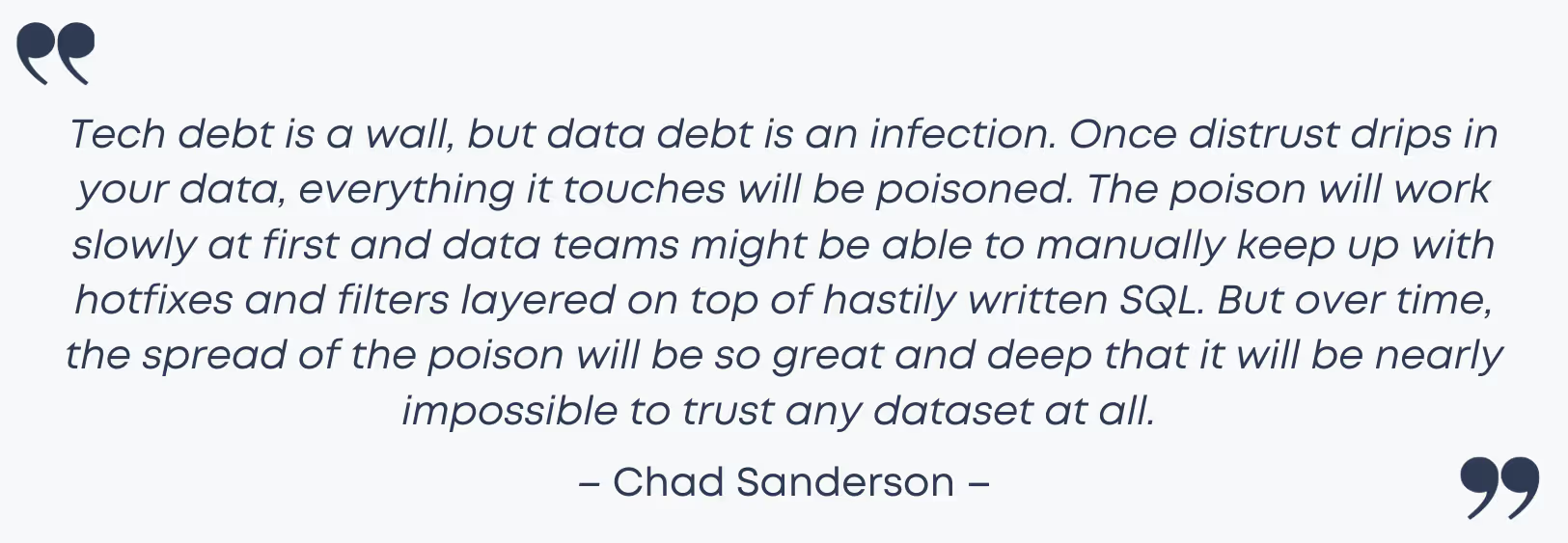
When all the short-term data decisions you’re currently making or you’ve made in the past start making your present-day data much harder to understand and leverage, it may be time to rethink whether data debt is threatening to undermine all the trust you’ve put in the data-driven decisions that guide your business.
Often misunderstood as another form of technical debt, data debt is, in fact, a silent menace that plagues data-driven organizations, costing them millions of dollars and time. The good news is that, the sooner an organization takes control of data quality, the better equipped it will be to reduce or even avoid data debt.

Fortunately, the antidote to control or even avoid data debt lies in clean analytics tracking. Learn more about how to reduce and avoid data debt in this blog post.
Understanding the causes of data debt is crucial for preventing its proliferation. Let’s have a look at them:
One of the primary causes of data debt is the lack of data governance. Data governance involves establishing policies and procedures for effective data management, encompassing data quality, data security, and data privacy. Without proper data governance, data becomes inconsistent, unreliable, and unprotected against ineffective data management and non-compliance.
Inaccurate and inconsistent analytics tracking is a significant contributor to data debt. Incomplete or incorrect tracking can lead to a jumbled mix of various event names and data elements, which necessitates both time and financial resources to decipher in order to align it to effectively analyze it.
Another cause that leads to data debt lies in the way data does not evolve at the same pace software products do. Yet, as we have mentioned before, all the short-term data decisions you make now will make your future data much harder to understand, leverage, and trust.
Data silos can also contribute to data debt by hindering data inconsistencies and inaccuracies that eventually become impossible to spot as not all members involved in the data collection process are able to see them and, thus, be on the same page unless they are on the same team.
Fortunately, the antidote to controlling or even avoiding data debt lies in clean analytics tracking. Learn more about how to reduce and avoid data debt in this blog post.
The antidote to control or even avoid data debt lies in clean analytics tracking. Clean analytics tracking involves actively measuring the metrics that are relevant to your business, auditing data sources, and ensuring correct analytics implementations.
To get rid of your data debt and build trust in your information, the logic behind your analytics tracking needs to be checked out. That means creating a single source of data truth to be provided with a roadmap for every member involved in the data collection process to ensure the data of your digital analytics, acquisition, pixels, and campaigns are accurately collected, responsibly managed, and integrated efficiently across teams and platforms.
Trackingplan is a fully automated data QA and observability solution for your digital analytics created to ensure your data never breaks and always arrives to your specifications by automatically documenting all the data that your apps and websites are sending to third-party integrations like Google Analytics, Segment, or MixPanel.
This creates a single source of truth where all teams involved in first-party data collection can collaborate, and automatically receive notifications when things change or break to easily debug any problem by being provided with the root cause of the problems affecting your data integrity, even before they go into production.
You can try it out yourself or ask for a demo.
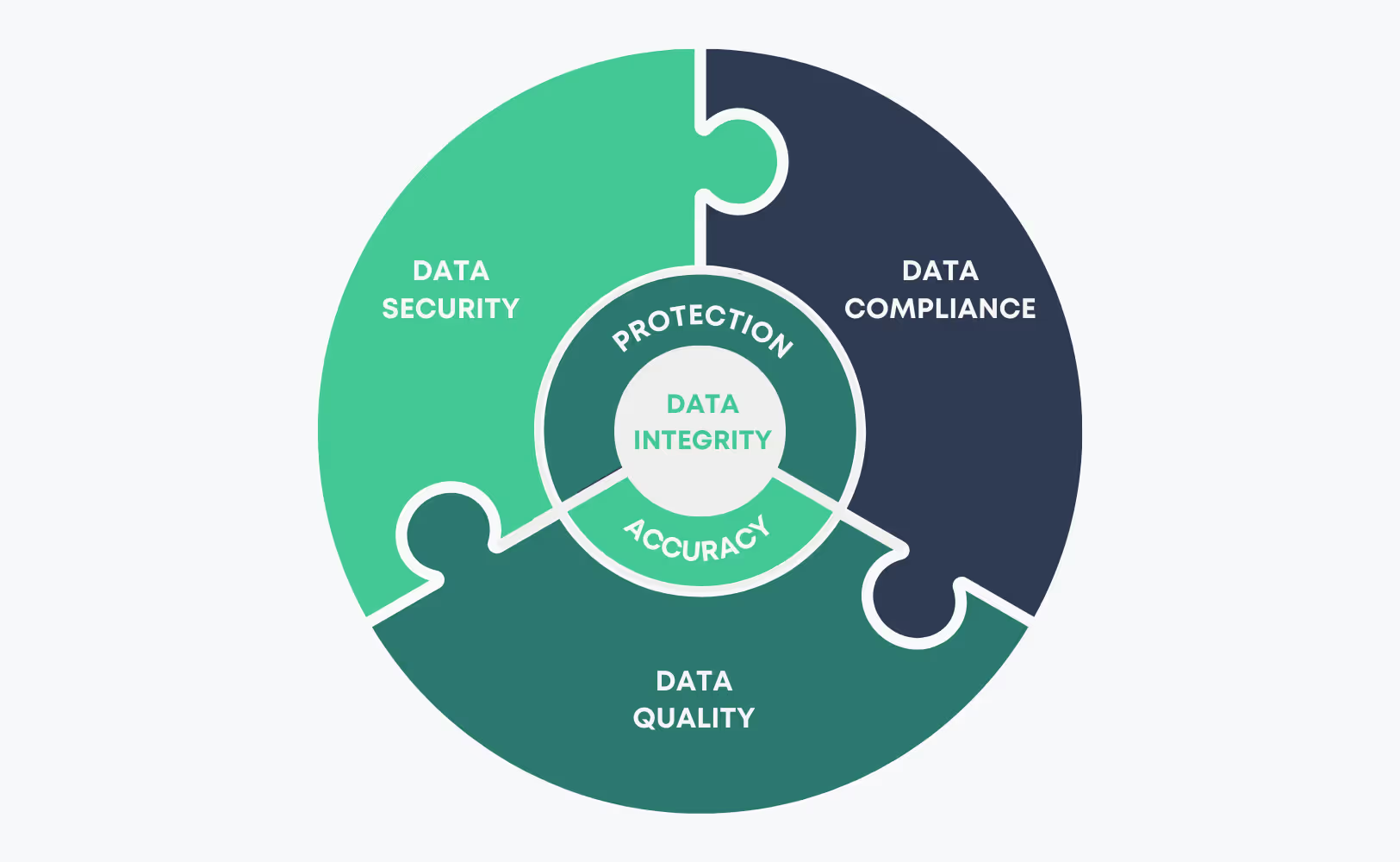
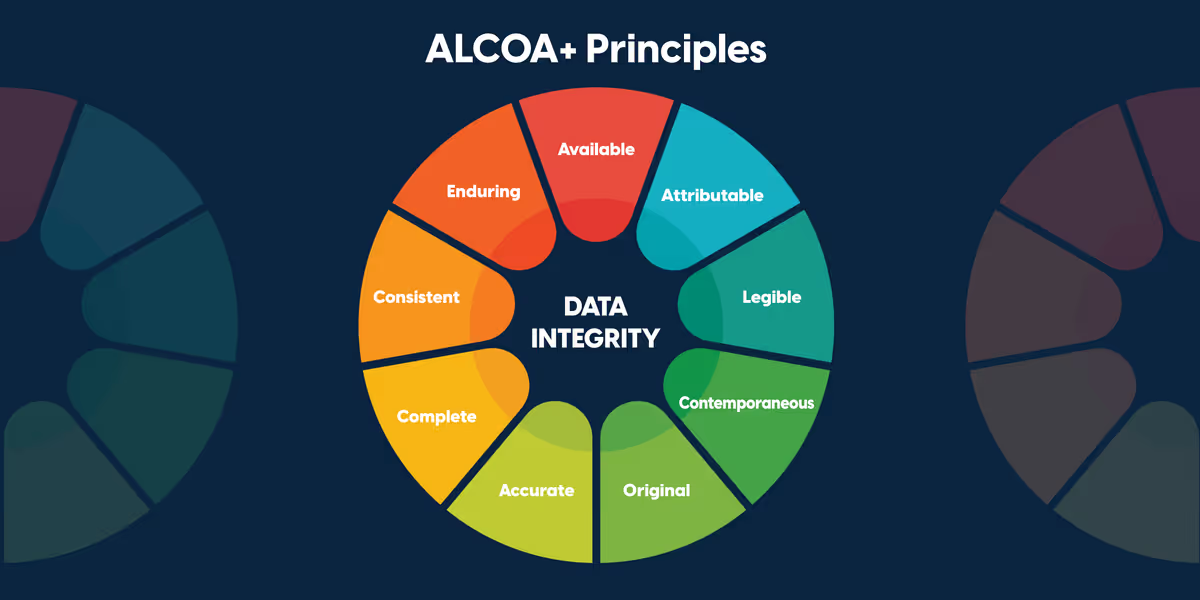
Data integrity is a broad discipline that governs the entire data lifecycle - from how it is collected, to how it is stored, accessed, and used.
Data integrity is maintained by a set of processes, rules, and standards with the objective to preserve the overall accuracy and data security in regard to regulatory compliance frameworks —such as the General Data Protection Regulation (GDPR) or the (CCPA) and ensure that data remains accurate, consistent, and unaltered.
However, despite its similiarities, data integrity should not be confused with data quality.
Of course, data quality is a crucial part of data integrity. Yet, data integrity encompasses every aspect of data quality and goes further by implementing a set of rules and processes that govern how data is entered, stored, and transferred.
In this sense, while data quality is a good starting point and both data quality and data integrity are crucial when taking data-driven decisions, data integrity elevates data’s level of usefulness to an organization and ultimately drives better business decisions by encompassing its whole life cycle.

Learn more about data integrity in this blog post.
While many people see data debt as another form of technical debt, the truth is that data debt is far worse than technical debt.
Technical debt usually arises from quick fixes in software development, resulting in code that may not be optimized which eventually turns into scalability issues in the long run. Despite these inconveniences, technical debt generally does not compromise the core functionality of the application while, on the other way around, data debt strikes at the very heart of their users’ trust.

In this sense, data debt can be considered as an entirely different beast, threatening to undermine all the trust you’ve put in the data-driven decisions that guide your business.
10 11 questions
Find answers to the most commonly asked questions about the benefits of choosing Trackingplan for enhanced data privacy coverage.
Open category →The Trackingplan SDK only inspects the network requests that your site or app already sends to third‑party vendors (e.g., Google Analytics, HubSpot, Mixpanel, Google Ads), and forwards to our backend only the events required for anomaly detection, already anonymized on-device.
These requests are parsed locally in the browser or app, where anonymization and masking are applied as configured. Only the processed, non-identifiable event data is transmitted to Trackingplan’s servers. Once received, events are parsed, modeled, and continuously monitored to detect anomalies that may indicate implementation issues, whether in your own tracking or introduced by third-party tools. Through our web interface, teams can explore the detected schema, review alerts, and inspect sample events to debug tracking errors with full visibility and control.
Additionally, we do not introduce new identifiers, nor store IP addresses or fingerprinting data, as these are stripped before processing.
For a complete overview of our privacy and security measures, please visit our Privacy & Security documentation.
At Trackingplan, we are committed to full transparency in how we handle data and protect user privacy. Our platform is designed with privacy, security, and compliance at its core, ensuring that our clients maintain complete control over their data while meeting the strictest privacy regulations.
The Trackingplan SDK only observes the network requests your site or app already sends to third-party services—such as Google Analytics, HubSpot, Mixpanel, or Google Ads. These requests are parsed locally within the user’s browser or mobile app, where any necessary anonymization or masking is applied according to your configuration. Only processed, anonymized events—never raw or identifiable data—are forwarded to Trackingplan’s backend, strictly for anomaly detection purposes.
Client data remains fully encrypted and logically isolated at all times. Our infrastructure runs on hardened AWS PaaS services, with encryption enforced both in transit and at rest. Fine-grained IAM roles and resource-level permissions ensure strict access control, while all customer data is automatically deleted after 90 days by default.
Security is not just technical—it’s built into our processes. Every code change is peer-reviewed and deployed via CI/CD pipelines. Our team enforces two-factor authentication (2FA), maintains detailed audit logs, and ensures 24/7 system monitoring with on-call coverage to guarantee availability. GDPR principles are embedded into our design, and we offer optional Data Processing Agreements (DPAs) to support legal and regulatory compliance.
Through Trackingplan’s web interface, clients can inspect data schemas, review alerts, and analyze sample events in real time—empowering teams to debug implementation issues and safeguard data quality, without ever compromising user privacy.
For a complete overview of our privacy and security measures, please visit our Privacy & Security documentation.
No. The Trackingplan installation script is specifically engineered to be lightweight, non-intrusive, and secure—comparable to those used by trusted observability tools like Datadog and Sentry. At under 10KB, it loads asynchronously and does not block or delay the execution of any existing page elements or scripts.
The script is served directly as source code to eliminate the risk of unauthorized changes. It has been thoroughly reviewed by some of the most security-conscious clients in the industry, including data-driven organizations and privacy-focused teams. For companies that require additional assurance, we offer access to the decompiled version of the script under a signed non-disclosure agreement (NDA).
Designed with privacy and performance in mind, the script works only on declared endpoints—intercepting requests to third-party vendor domains that you’ve explicitly selected for monitoring. It performs anonymization and masking locally within the browser or app, without relying on external dependencies or introducing new cookies, storage mechanisms, or cross-site tracking.
Trackingplan's script never collects more data than your site or app already sends to analytics providers. It simply observes outgoing requests and ensures that only anonymized, relevant data needed for anomaly detection reaches our backend—without interfering with your application or compromising user privacy.
For a complete overview of our privacy and security measures, please visit our Privacy & Security documentation.
Trackingplan infrastructure runs exclusively on hardened cloud infrastructure in the EU — AWS (Frankfurt), ClickHouse Cloud (Frankfurt), Cloudflare's edge network, and Microsoft Azure for AI.
All customer data is processed and stored in the EU.
All endpoints are protected via AWS WAF, TLS 1.2+ encryption, and AES‑256 at rest.
For a complete overview of our privacy and security measures, please visit our Privacy & Security documentation.
PII in data protection stands for Personally Identifiable Information, which refers to any data that can uniquely identify an individual—either alone or combined with other data points. Examples of PII include full names, email addresses, phone numbers, home addresses, government ID numbers, and, in certain cases, IP addresses. Indirect identifiers such as the combination of date of birth and ZIP code can also be considered PII, as together they could uniquely pinpoint someone.
Handling PII correctly is critical to complying with privacy regulations like GDPR, CCPA, or HIPAA and avoiding costly breaches or legal penalties.
With Trackingplan’s Privacy Audit, you can automatically monitor accidental sharing of personal data with other third‑party vendors, detecting when PII is unintentionally collected in your analytics to ensure your data stays compliant, secure, and clean—without having to manually review every tracking event.
Let's start with a simple, real-world example of Personally Identifiable Information (PII): a person's full name combined with their home address. Other classic examples are things like an email address, Social Security number, or a driver's license number.
At its core, PII is any piece of data that can, either by itself or when pieced together with other information, point directly to a specific individual.
Think of someone's identity like a jigsaw puzzle. A single piece—a name, an email, a phone number—might not tell you much on its own. But as you connect those pieces, a surprisingly clear picture of a person begins to form. That's the essence of Personally Identifiable Information (PII).
This concept map helps visualize how different data points fit together, breaking PII down into its two main flavors: direct and linkable identifiers.

As the map shows, some data is an obvious giveaway, while other bits need to be connected to reveal a person's identity. This is why it's so critical to protect all types of personal data, not just the most obvious ones.
PII isn’t just one big bucket of data; it's generally split into two types based on how easily it can identify someone. Getting this distinction right is the first real step toward building solid data governance and privacy protection practices.
If you want to go deeper, you can explore more about the meaning and importance of PII in our detailed guide.
Personally Identifiable Information (PII) is not anchored to any single category of information or technology. Rather, it requires a case-by-case assessment of the specific risk that an individual can be identified.
This idea from the U.S. General Services Administration really hits the nail on the head. Context is everything. To make this clearer, let's break down these two crucial categories with some straightforward examples.
Here’s a quick reference table that lays out the differences between direct and linkable identifiers, giving you clear examples for each category.
As you can see, what qualifies as PII is broader than most people think. A single piece of "linkable" data might seem harmless, but when it's combined with other seemingly anonymous data points, it can quickly become a privacy risk.
Not all personally identifiable information is created equal. Understanding the difference between sensitive and non-sensitive PII is crucial for data protection and staying compliant with regulations like GDPR and CCPA.
Think of it like this: knowing someone’s favorite color is one thing, but knowing their bank account password is on a completely different level. Both are personal details, but the potential for harm if exposed is worlds apart. This distinction is what guides your security measures, because some data is inherently high-risk, while other pieces only become a problem when combined.
Sensitive PII is the kind of information that, if it ever got out, could lead to serious harm, embarrassment, or unfair treatment for an individual. This is the stuff identity thieves dream of, and it demands the highest level of protection.
Because the potential for damage is so severe, regulations impose strict penalties for breaches involving this category of information. Examples of sensitive PII usually include:
A classic example of sensitive PII is the combination of a person’s full name with a government ID like an SSN. In one massive data incident, a single dataset exposed roughly 2.7 billion records, which included about 272 million unique Social Security numbers—that’s equivalent to around 80% of the U.S. population. This one breach opened the door for large-scale identity theft and fraud, showing just how valuable this kind of combined data is on criminal markets.
For analytics teams, accidentally forwarding a name and national ID to a marketing pixel can turn routine event tracking into a critical data violation. To get a better sense of the scale of these exposures, check out the findings from the SpyCloud Identity Exposure Report.
Non-sensitive PII, sometimes called linkable information, is data that’s often publicly available or wouldn't cause direct harm to someone on its own. But that doesn’t mean it's harmless.
The real danger with non-sensitive PII is that it can become identifying when pieced together. A zip code by itself is innocuous, but a zip code combined with a date of birth and gender can narrow down the possibilities to a shockingly small group of people.
This process, known as re-identification, is a huge privacy concern. Examples of non-sensitive PII include:
Context is everything here. While a single piece of non-sensitive data might seem low-risk, your data governance policies have to account for how multiple data points could be linked together to unmask an individual's identity.
PII leaks in digital analytics are rarely the work of a shadowy hacker. The reality is far more mundane—and arguably more insidious. They often slip through the cracks of everyday operations, born from misconfigured forms, messy URLs, and overlooked event parameters. These subtle exposures can create massive compliance risks right under your nose.
Forget the dramatic data heist. The real threat usually looks something like an email address accidentally tacked onto a URL string after a user submits a "forgot password" form. That URL, now carrying clear PII, gets scooped up by your analytics tool as a page_view event. Just like that, sensitive data is quietly shipped off to third-party servers where it has no business being.

This is a classic example of PII hiding in plain sight. It’s a completely preventable error, but one that highlights why you need to be constantly vigilant about the data you’re collecting.
To stop these leaks, you have to know where to look. PII loves to hide in places that aren't immediately obvious to marketing or analytics teams, which is why a proactive audit is non-negotiable. The most frequent culprits are query parameters in URLs and unstructured event properties.
Let's walk through a few common scenarios where PII can pop up unexpectedly. These examples show just how easily user data can be exposed through totally standard digital marketing and analytics practices.
https://example.com/thank-you?email=john.doe@email.comevent: 'feature_used', properties: { user_name: 'Jane Smith', feature: 'profile_update' }The most dangerous PII leaks are the ones you don't know are happening. Automated query string parameters and dynamic event properties can capture and transmit sensitive data without any manual intervention, creating a silent compliance breach.
To make this crystal clear, let's look at how PII shows up in the actual technical implementation. On most websites, a data layer—a JavaScript object used to pass information to tag management systems—is where the action happens.
Imagine a user_signup event. A well-designed, compliant event would only contain non-identifiable information. A poorly configured one, however, might look like this:
dataLayer.push({ 'event': 'user_signup', 'user_id': '12345', 'email_address': 'sandra.dee@example.com' // Accidental PII });
In this snippet, the email_address is the smoking gun. It’s an explicit piece of PII that should never be sent to a standard analytics platform like Google Analytics. The fix is simple: remove this property entirely from the event payload. This ensures only anonymized or non-sensitive data gets tracked.
This is where regular code reviews and automated monitoring become your best friends. They are essential for catching these kinds of issues before they snowball into serious data breaches.
Failing to protect PII in your analytics isn't just a technical slip-up; it's a major business liability that can trigger a cascade of severe consequences. The fallout from a data leak goes way beyond a messy spreadsheet. We're talking about substantial financial, legal, and reputational damage that can haunt a company for years.
These aren't just hypotheticals. The risks show up in a few critical areas, each with the power to inflict serious harm on your organization. From eye-watering fines to the complete erosion of customer loyalty, the cost of looking the other way is staggering.
Data privacy laws like GDPR and the CCPA aren't messing around. They’ve given regulators the power to levy fines that can climb into the millions of dollars or a hefty percentage of a company's global revenue. A single violation under GDPR, for instance, can result in penalties of up to 4% of annual worldwide turnover.
And these fines aren't just reserved for massive, headline-grabbing breaches. Even a seemingly small, accidental leak—like the example of PII we saw earlier with an email address in a URL—can be enough to trigger a costly investigation and a painful penalty. If you want to dive deeper into staying compliant, check out our guide on how to prevent privacy fines under CCPA and GDPR.
Trust is the foundation of any customer relationship, and a PII leak shatters it in an instant. Once your customers feel their personal information isn't safe with you, winning back their confidence becomes an uphill battle. The damage to your brand's reputation can be immediate and long-lasting, leading to customer churn and negative buzz that scares off potential new clients.
A data breach is a violation of the digital trust between a company and its customers. The immediate financial cost is often just the beginning; the long-term reputational damage can be far more destructive to a business.
This loss of trust hits your bottom line directly. Customers will simply take their business elsewhere, and your brand gets a new label: risky and unreliable. To soften the blow, it's critical to have a modern, programmatic data breach response plan ready to go.
Beyond the hit to your reputation, leaking PII also causes other serious problems:
When it comes to data breaches, playing defense is always more expensive and stressful than having a good offense. To build a strong defense against PII leaks, you need to shift from a mindset of damage control to one of active prevention. This really comes down to a mix of careful planning, smart data handling, and having the right tech in your corner.
The bedrock of any solid prevention strategy is a clear and comprehensive tracking plan. Think of it as the blueprint for your entire analytics setup. It defines exactly what data you’re allowed to collect and, more importantly, what’s strictly off-limits. By setting these rules from day one, you establish a single source of truth that keeps developers and marketers on the same page, slashing the risk of accidental PII collection before it even starts.

This image isn't just about looking at dashboards; it's about the collaborative effort required for good data governance. The intense focus on the screen captures the kind of detailed analysis needed to spot potential PII leaks before they turn into full-blown problems.
Beyond a rock-solid tracking plan, a few technical best practices are non-negotiable for keeping your data clean and compliant. These methods are all about de-identifying user information before it ever hits your analytics tools, effectively neutralizing the risk.
****). It conceals sensitive information while still letting your teams work with the data's structure for things like testing or development.Putting these practices into place manually is a big step toward building a resilient privacy framework, but it's not without its challenges. Manual audits and code reviews are often slow and, let's be honest, prone to human error. This is where automation really changes the game.
Modern analytics observability tools have taken PII detection from a painful, periodic chore to a continuous, automated process. These platforms act like a vigilant security guard for your data pipelines, constantly scanning every single analytics event for patterns that look like common PII formats.
Instead of waiting for a quarterly audit to find problems, an observability platform can spot an email address in a URL string or a Social Security number in an event payload the instant it happens. This real-time capability is what proactive defense is all about.
The moment a potential leak is detected—say, an example of pii like a phone number shows up in a custom event—the platform fires off an alert to the right team through Slack, email, or whatever channel they use. This lets developers zero in on the exact source of the leak and push a fix before it affects a large number of users or lands you in hot water with regulators. To see this in action, you can learn more about how to secure PII for privacy and compliance with Trackingplan.
This automated, real-time approach doesn't just ensure your data stays clean and trustworthy. It also frees up your team to focus on finding insights instead of constantly policing their data streams. It’s simply the most effective way to stay ahead of privacy risks and maintain a compliant, reliable analytics implementation.
Tools and automated alerts are fantastic, but they only get you so far. The most robust defense against data leaks isn't a piece of software—it's a company-wide culture built around privacy-first data governance. This mindset shifts data protection from a simple compliance checkbox to a core value shared by everyone.
Building this culture starts with one simple but powerful concept: ownership. Every single piece of data you collect needs a designated owner who is responsible for its entire lifecycle, making sure it’s handled according to your privacy standards. This accountability is the bedrock of everything else.
A privacy-first culture means every team member, from marketing to engineering, understands their role in protecting customer data. It shifts the responsibility from a single person or department to the entire organization, creating a human firewall against accidental leaks.
For a privacy-focused culture to actually work, your teams need a unified playbook. This is where a meticulously maintained tracking plan becomes your organization's data constitution. It acts as the single source of truth, spelling out exactly what data is okay to collect and how it must be handled.
When everyone is working from the same script, the odds of someone accidentally sending an example of pii to an analytics tool plummet. It ensures that every team and every vendor is perfectly aligned.
This proactive approach is strengthened through ongoing training and clear communication. A huge part of building trust and staying compliant is being transparent about your data practices, which is something you can see when you read our privacy policy.
Ultimately, putting in the work to build this culture pays off in a few key ways:
Navigating the world of data privacy can bring up a lot of questions. Let's tackle some of the most common ones that come up in the day-to-day grind of managing analytics and user data.
You'll often hear "PII" and "personal data" used like they're the same thing, but there’s a subtle but important difference. PII, or Personally Identifiable Information, is a term that really took root in the United States. It refers to anything that can be used to identify a specific person, either directly or indirectly.
"Personal data," on the other hand, is a broader concept straight out of Europe’s GDPR. It covers all PII, but it also includes things like online identifiers or behavioral data that could be linked back to an identifiable individual. A good way to think about it is that PII is a key part of the much larger universe of personal data.
This is a big one. PII compliance isn't just one person's job or something you can hand off to the legal team. It's a shared responsibility that touches every part of the organization. While a Data Protection Officer (DPO) might lead the charge, everyone has a part to play.
Ultimately, a strong data governance framework is what ties it all together. It makes sure every team knows exactly what their role is in protecting user information, turning compliance into a collective effort instead of a siloed task.
Sending PII to Google Analytics is a major misstep, and one with serious consequences. First off, it's a direct violation of their terms of service. Google can, and often will, delete all of your historical data without warning, completely torching years of analytics insights.
Beyond losing your data, it's a huge compliance risk. Under laws like GDPR and CCPA, accidentally sending an email address in a URL parameter isn't just a mistake—it's a data breach. That kind of slip-up can trigger hefty fines and do serious damage to the trust you've built with your customers. This is exactly why automated detection is no longer a "nice-to-have."
Safeguarding against PII leaks requires continuous, automated monitoring. Trackingplan acts as your analytics watchdog, constantly scanning your data streams to detect and alert you to potential PII exposure in real time. We help you fix issues before they become crises. Discover and prevent leaks automatically at https://trackingplan.com.
Trackingplan supports your privacy compliance efforts by providing a robust set of tools and safeguards designed to protect user data and respect consent preferences:
For a complete overview of our privacy and security measures, please visit our Privacy & Security documentation.
Trackingplan provides robust tools to help you secure personally identifiable information (PII) and maintain compliance with privacy regulations:
These built-in features allow you to monitor, detect, and prevent the exposure of PII, helping your organization stay privacy compliant.
For full details, please refer to our Privacy & Security documentation or check our Privacy Hub.
If HIPAA-regulated PII (e.g. patient identifiers, medical history, health-provider data) is transmitted without encryption, masking, or proper policy control, you risk:
Fines for non-compliance are not cheap – your business can be fined hundreds of thousands of dollars for non-compliance.
Inadequate security systems attract online hackers, making your business susceptible to data breaches. Personal information such as credit card details, security codes, names, birth dates, and other sensitive data becomes a prime target for malicious actors, leading to potential identity theft and fraudulent activities.
If evidence of non-compliance is found, the responsibility for covering these investigation fees will fall on your business. This translates to substantial costs amounting to thousands of dollars.
An individual who intentionally acquires or reveals personally identifiable health information (PHI) –which is precisely what HIPAA’s Privacy Rule aims at protecting–, can be subjected to criminal consequences, including fines of up to $50,000 and a maximum imprisonment of one year.
However, if the misconduct includes false pretenses, the criminal penalties can escalate to $100,000 and a potential imprisonment term of up to five years. Moreover, if the conduct is characterized by the intent to sell, transfer, or exploit PHI for commercial advantage, personal gain, or malicious harm, the penalties increase to $250,000, and the individual may face imprisonment for up to 10 years.
Non-compliance can erode customer trust in your business, leading to a loss of confidence among your customer base. Instances of data breaches may result in customers refusing to engage in transactions with your business, causing lasting damage to your reputation.
Trackingplan helps mitigate these risks by:
To learn more, check this article on HIPAA-compliant digital analytics challenges and how organizations in the healthcare sector navigate constraints while leveraging their data.
For full details, please refer to our Privacy & Security documentation.
11 7 questions
Learn all you need to know UTM naming conventions and campaign tagging to prevent errors in the attribution of your campaigns.
Open category →UTMs allow you to measure the effectiveness of your paid media efforts, as it allows marketing teams to look for trends and patterns that work in order to be able to allocate resources effectively. This is how you’ll will be able to reliably credit conversions to the correct traffic source to know the true Cost Per Acquisition (CPA) and the Return On Ad Spend (ROAS) for each of your marketing efforts.
However, while this might sound like the ultimate solution to cut off wasted ad spend, it’s important to consider that, just as it is impossible to credit a conversion to its source without first knowing how a visitor got to a website, it is also impossible without truly knowing if you're measuring your UTMs correctly.
Therefore, even though setting parameters to identify the source, the medium, or the campaign inside your inbound strategies is key, accurate analyses require organizing traffic to help you prevent errors in the attribution of your campaigns.
Identification is not organization; a disorganized system of UTM parameters can easily ruin the integrity of your analysis data, and here is precisely where campaign naming convention monitorization comes in to ensure the proper functioning and attribution of your marketing campaigns.
Mistakes in UTM parameters are permanent, and this explains why consistency in naming conventions is so important. A single misplaced character can ruin valuable data to the extent of making it useless.
Leverage Naming Conventions for Campaign Precision with Trackingplan
With Trackingplan, you can ensure you’ll never let another campaign go out of control by using naming convention alerts to set rules to monitor campaign tagging.
Trackingplan’s validation functions on Acquisition allow marketing teams to validate that the campaigns they run comply with their naming conventions.
Moreover, with Trackingplan’s UTM Builder Tool, you can create UTM-tagged URLs that align with your campaign’s objectives. This tool not only streamlines UTM creation but also sends alerts if parameters deviate from your naming conventions, preventing tracking errors before they affect your data.
If you’re interested in trying Trackingplan’s validation functions on Acquisition to prevent errors in the attribution of your campaigns and ensure error-free UTMs and ROAS calculation, get started for free or book a demo to unleash its full potential.
If your UTM parameters aren’t working as expected, consider these troubleshooting steps:
Following these steps can help you maintain accurate tracking and avoid common UTM issues.
When creating a campaign title, several factors should be considered to ensure effectiveness, clarity, and consistency in campaign tracking and analysis. In this regard, understanding how to name a campaign and establishing strong naming conventions is key for effectively leveraging your marketing campaigns.
Here are some best practices:
“A clear campaign title ensures your team can immediately understand the campaign’s goals.”
A campaign naming convention should clearly represent the purpose or theme of the campaign. It should be relevant to the content or the objective of the marketing effort. A clear and relevant campaign name is crucial for team members to easily understand and associate the campaign with its intended goals.
Examples:
"Winter_Sale_2024", allow for efficient categorization and analysis, helping teams quickly identify the campaign’s objective. "Promo_2024" lacks the necessary detail for clear understanding and effective tracking.Specific and descriptive campaign names help in understanding the campaign’s focus without requiring further explanation. Opting for specific campaign names not only improves understanding but also enhances the efficiency of categorizing and analyzing data.
Examples:
Good: "Email_MarchNewsletter_2024" clearly indicates type, timing, and year."Newsletter_Promo" could be regarded as a vague and non-descriptive campaign name, as it lacks lacks timing and specificity.Establishing and adhering to a consistent UTM naming convention taxonomy is crucial. A standardized format in UTM naming conventions ensures that all campaign names are uniform, making it easier to track, sort, and analyze data. This might include elements like identifying the source, medium, campaign type, or dates within the campaign name.
Examples:
GoogleAds_Search_April2024_NewProductLaunch clearly identifies the platform (Google Ads), channel (Search), date (April 2024), and campaign focus (New Product Launch).NewCampaign_AprilGoogle lacks a clear structure, making it difficult to analyze or compare with other campaigns.For more detailed guidance on establishing effective UTM naming conventions, our blog post, Effective Monitoring of UTM Naming Conventions: Best Tracking Practices, offers in-depth insights and practical tips.
Using vague or ambiguous campaign names can lead to confusion when analyzing data. A clear and unambiguous campaign name reduces the chances of misinterpretation or misattribution of campaign results.
Examples:
Email_Summer2024_Promo clearly indicates campaign type, season, and purposeSummerCampaign lacks specificity, making it difficult to understand the campaign's focus or track its performance.Ensuring that the campaign name aligns with the UTM parameters is also key for error-free attribution. This involves consistent use of source, medium, campaign term, content, and possibly other UTM parameters to accurately track and attribute traffic.
Design campaign names with scalability and long-term reporting in mind. They should accommodate future campaigns without causing naming conflicts or data confusion.
Examples:
SocialMedia_Summer2024_FitnessChallenge allows for future campaigns like SocialMedia_Fall2024_FitnessChallenge without overlap.An effective campaign name should be easily communicated and understood among team members. Clear communication about campaign names minimizes errors and ensures everyone is on the same page.
By considering these factors, marketers can create campaign names that facilitate effective tracking, analysis, and understanding of marketing efforts, leading to more accurate reporting and better-informed decision-making.
Examples:
Email_Newsletter_July2024 is simple and straightforwardNewsletter2024 lacks context and clarity, leading to potential misunderstandings.When creating a campaign title, several key factors ensure clarity, consistency, and effective tracking. The following table summarizes the most important best practices, along with examples of good and bad campaign titles:
By considering these factors, marketers can create campaign names that facilitate effective tracking, analysis, and understanding of marketing efforts. This approach leads to more accurate reporting and better-informed decision-making. For more information about campaign tagging, campaign parameters, and UTM naming conventions, keep exploring our FAQ resources.
With the introduction of Google Analytics 4 (GA4), the traditional concept of Goals, as used in Universal Analytics (UA), has been removed. In GA4, the tracking system has been streamlined to focus primarily on events, which can be marked as conversions.
Here's a summary of how this works:
1.Goals vs. Events in GA4: Unlike Universal Analytics, where both goals and events were used, GA4 exclusively uses events for tracking user interactions. If something is deemed important enough to count as a conversion (like form submissions or video clicks), it can be set up and marked as a conversion event in GA4
2. Setting Up Conversions in GA4: To configure conversions in GA4, you need to navigate to the "Configure" section, then to the "Events" tab. Here, you can create custom events that are relevant to your tracking needs. Once an event is created, you then go to the "Conversions" tab to mark this event as a conversion, ensuring it matches the name of the event you've created.
This change in Google Analytics reflects a shift towards a more streamlined, event-focused approach to tracking user interactions and conversions. It's important for users migrating from Universal Analytics to GA4 to understand this fundamental change in how goals and conversions are managed.
For an in-depth understanding of event-based analytics, consider exploring resources like Google's Analytics Help Center or practical insights from our Google Analytics 4 series. From beginner tips to advanced strategies, we've curated content that will empower you to Master GA4's full potential, ensuring your analytics efforts lead to actionable insights and measurable success.
If you want to manually track campaigns, there are three key campaign parameters you should pay special attention to: medium, source, and campaign. Let's have a look at each of them to ensure nothing essential is overlooked in your campaign tracking efforts.
Essentially, this parameter defines which medium your visitors are using when visiting your website. This could be “paid-social”, in case you’re planning to launch a paid campaign on one of your social networks, “email”, or “cpc”.
This parameter is key to identifying which medium drives the most valuable traffic to your website and answering where you acquired your users from.
The source parameter complements the medium by offering more granularity about the origin of website traffic. For instance, given that 'social' can represent various platforms, the source parameter is where you’ll be able to specify and narrow down the specific platform your visitors originated from (Facebook, Twitter, LinkedIn, Instagram, etc.). Combining source and medium facilitates filtering and grouping of traffic for better analysis, allowing you to compare different marketing forms within the same platform.
The campaign parameter is crucial for accurately tracking website traffic, indicating the specific marketing campaign, promotion, or ad that triggered your visitors’ clicks. Given the multitude of campaigns that marketing teams typically handle simultaneously, this parameter provides the necessary detail to track and compare individual campaign performance.
However, managing campaign parameters can be challenging due to the potentially vast number of campaigns. That is why using unique and consistent naming conventions is key in getting their full reporting value, as this allows the whole team to understand and use them correctly and consistently, rather than falling into that vicious cycle of disorganization.
Fortunately, with support for UTM campaigns, mediums, sources, referrers, landings, and pages, Trackingplan helps you ensure error-free ROAS calculation by monitoring the correct functioning and attribution of your campaigns and marketing strategies.
Before answering what campaign parameter is not available by default in Google Analytics, let’s take some seconds to understand what campaign parameters are and why these are crucial to tracking the effectiveness of your campaign paid media efforts.
These parameters are used for marketing teams to credit conversions to their source, medium, and other details, allowing them to look for trends and patterns that work to be able to allocate resources effectively in their next online campaigns.
Consequently, by the following parameters to your URLs, Google Analytics will be able to identify which sources drive the most valuable traffic to your website to help you answer where have you acquired your users from.
The common campaign parameters used in Google Analytics are:
However, it's important to note that the 'Utm_adgroup' campaign parameter is not included in the default settings of Google Analytics.
The absence of this specific parameter highlights the significance of customization for in-depth tracking of campaigns. This customization enables website owners to gain detailed insights from the platform, empowering them to optimize their website strategies accordingly. Now that you are aware of the campaign parameter not present by default in Google Analytics, you can explore how to leverage other available parameters for making informed, data-driven decisions.
With Trackingplan, you can ensure you’ll never let another campaign go out of control by using naming convention alerts to set rules to monitor campaign tagging.
12 30 questions
Explore the fundamentals of data basics to delve into essential terminology and key concepts to empower your understanding of digital analytics.
Open category →When getting started with Adobe Analytics, the first step is creating an Adobe Experience Cloud account. Adobe Analytics plays a crucial role in business strategy and decision-making, providing digital analysts with valuable insights into user behavior and website performance. These insights help businesses stay competitive, thanks to Adobe Analytics' versatility, reliability, and precision.
To begin your journey, our comprehensive Adobe Analytics guide tailored for beginners covers everything from signing up to configuring the platform. You'll learn the essentials of interface navigation and how to create impactful basic reports. These key skills are essential for any Adobe Analytics beginner, enabling you to track website and app data effectively. By mastering basic reporting and navigation, you'll build a strong foundation for mastering Adobe Analytics to its full potential.
SGTM (Server-side Google Tag Manager) is a tag management system developed by Google that processes analytics and marketing tracking requests on a server instead of in the user’s browser. This server-side approach enhances data privacy, improves website performance, and ensures more accurate data collection.
With growing concerns around browser limitations, privacy regulations, and data accuracy, server-side tagging is becoming essential for digital analysts looking to future-proof their tracking infrastructure, as it reduces reliance on the browser and ensures data accuracy in a privacy-first world.
Unlike traditional Google Tag Manager (GTM), which runs tags client-side (in the user's browser), Server-side GTM (sGTM) processes tags in a dedicated server environment. This means that tracking data is first sent to the server, where it is processed, filtered, and then forwarded to third-party platforms like Google Analytics 4 (GA4), Meta Pixel, or advertising networks.
This architecture reduces the impact of ad blockers, browser tracking restrictions, and performance bottlenecks on your site.
For more information, explore this in-depth breakdown of server-side implementation benefits.
Implementing Server-side Google Tag Manager can significantly improve tracking accuracy and compliance, making it an ideal solution for businesses focused on privacy-first data strategies and cookieless tracking.
A tag is a small piece of code –often written in JavaScript– added to a website or mobile app to collect information, trigger actions, or enable specific functionalities. Tags play a key role in digital marketing and analytics by tracking user behavior, measuring conversions, integrating third-party services, or launching remarketing campaigns.
In practice, tags can record page views, button clicks, form submissions, purchases, and other user interactions. They are widely used in analytics (e.g., Google Analytics tag), advertising (e.g., Facebook Pixel, Google Ads conversion tag), and personalization tools.
Properly implemented tags ensure that your data is accurate, complete, and ready to power business decisions. This is why managing tags effectively is crucial, as poorly configured tags can cause duplicate tracking, missed conversions, or even privacy compliance issues.
Trackingplan automatically monitors all your tags and tracking scripts, detecting broken or missing implementations, and alerting you when something changes unexpectedly. With Trackingplan, you can ensure your tags are firing correctly, your data stays trustworthy, and your marketing stack runs smoothly without manual checks.
To learn more about how to manage tags effectively for better data accuracy and marketing performance, see our FAQ on Tag Management.
Website tagging is the process of adding, managing, and monitoring small snippets of code—known as tags—on a website to collect data, track user interactions, and connect the site with analytics, marketing, and advertising platforms. These tags can capture valuable information about visitor behavior, such as page views, clicks, form submissions, video plays, and purchase activity, sending it to tools like Google Analytics, Adobe Analytics, Facebook Pixel, or marketing automation software.
By implementing website tagging correctly, businesses can measure campaign performance, identify high-performing traffic sources, personalize user experiences, and make data-driven decisions. Website tagging is also essential for conversion tracking, remarketing campaigns, A/B testing, and compliance with privacy regulations like GDPR and CCPA.
Yet, relying on manual supervision or manual monitoring of tags can lead to significant challenges. Manual processes are prone to human error and delays in identifying broken or misfiring tags, which can cause data inaccuracies, wasted resources, and missed business opportunities. Mistakes like duplicate tags, missing tracking codes, or unauthorized changes often go unnoticed without automated systems, resulting in unreliable analytics data.
Trackingplan helps businesses overcome these issues by automating the monitoring and auditing of all website tags and tracking events. It detects errors, unexpected changes, or gaps in tagging before they affect your data quality, saving you time and money while ensuring your analytics and marketing tools work as they should. This proactive approach eliminates the need for costly, time-consuming manual checks and reduces the risk of bugs and manual errors.
Tag management is the process of organizing, controlling, and deploying tags on a website or mobile app through a centralized platform, commonly known as a Tag Management System (TMS). Instead of manually editing code on every page, tag management allows marketers and developers to add, modify, or remove tags quickly and efficiently via a single interface.
While this centralized control reduces the risk of manual coding errors, relying on manual oversight or manual tag deployment still leaves room for mistakes such as broken tags, duplicate tags, or missing tracking—issues that can severely impact data accuracy, marketing attribution, and revenue opportunities.
Manual tag management requires constant vigilance and is often resource-intensive, leading to wasted time and higher costs for businesses trying to maintain clean and reliable data streams.
Trackingplan enhances tag management by automating the monitoring and auditing of all your tags and tracking scripts across all your digital assets. It detects configuration errors, unauthorized changes, and data quality issues before they escalate, enabling your team to fix problems proactively. By integrating Trackingplan with your tag management strategy, you minimize manual effort, reduce costly mistakes, and ensure your analytics and marketing data remain accurate and compliant.
For a deeper dive into choosing the right TMS, check out our detailed guide on how to choose a tag management system to compare options and find the best fit for your business needs.
For more on tag management, see our FAQ on What is a Tag Management System.
A tag management system (TMS) is a specialized tool designed to help marketers, analysts, and developers efficiently manage and deploy website tags without directly modifying site code. Popular examples of TMS platforms include Google Tag Manager, Adobe Launch, and Tealium iQ.
By using a Tag Management System, you can quickly add, update, or remove analytics, advertising, and tracking tags across your website or app from a centralized interface. This simplifies tag deployment, reduces the risk of coding errors, and improves site performance by controlling when and how tags fire. Additionally, many tag management systems provide built-in testing and debugging features to validate changes before going live.
Despite these advantages, managing tags manually—even through a TMS—can still lead to errors, duplicate tags, or compliance issues if not monitored carefully. This is where Trackingplan complements your tag management system by automatically auditing your tags and tracking events to detect problems early and maintain high data quality.
For a thorough guide to picking the right tag management system, dive into our tag management system comparison, which breaks down the most popular TMS options on the market to help you make an informed decision based on your business needs, technical requirements, and budget.
In digital analytics and tag management, a data layer (also called a digital data layer) is a structured JavaScript object or array embedded in your website or mobile app. Data‑analytics expert Justin Cutroni defines it as a “JavaScript variable or object that holds all the information you want to collect in some other tool” . Piwik PRO explains that this data structure lives on your site and “holds the information you want to process and sends it to other applications, like a tag management system”. Essentially, the data layer standardizes and organizes information about user interactions—such as page views, clicks, product IDs and prices—so that tools like Google Tag Manager, analytics platforms and advertising pixels can access it consistently .
Implementing a data layer offers several benefits for marketers and developers:
Typically, developers initialize a data layer with window.dataLayer = [] and then “push” events into this array. For example, after a purchase, the site might push an object like { event: 'purchase', transactionId: '12345', value: 99.99 } . Tag management systems listen for these pushes and trigger tags accordingly. Because the data layer is vendor‑agnostic and sits between your website’s front‑end and your marketing tools , it remains stable even as the site’s design changes, providing a reliable foundation for accurate analytics.
In summary, a data layer is a structured, centralized way to collect and manage user‑interaction data. By acting as a bridge between your site and all your marketing technologies, it ensures that data flows smoothly, accurately and compliantly across your digital ecosystem.
The data layer is a JavaScript array (often called dataLayer) that holds information your website passes to analytics and advertising tools . Viewing it through the browser’s built‑in developer tools lets you verify that events and variables are being pushed correctly. Here’s how to inspect the data layer in Chrome, Firefox or Edge:
Tips for smoother debugging:
Following these steps ensures you can easily inspect your data layer, confirm that events fire correctly and troubleshoot issues before deploying tags to production.
When working with Google Tag Manager or any tag management system, the DataLayer acts as a bridge between your website and your analytics and advertising tags. Viewing this JavaScript array in Chrome helps you confirm that events and variables are firing correctly. Follow these steps to inspect it in Chrome:
By following these steps, marketers and developers can quickly debug Google Tag Manager implementations, confirm variables are populated and maintain clean, accurate analytics. If you see nothing when typing dataLayer, double‑check that your GTM container snippet is present and verify the object name used on your site.
First-party data is the information you collect directly from your audience. Think of it as your own private address book, filled with contacts you’ve personally met and built a relationship with. It's information based on your interactions, not someone else's.
For years, marketing felt like navigating with a map drawn from secondhand rumors. Using third-party data was a lot like that—relying on information from anonymous sources to guess what customers might want. It was the digital equivalent of renting a massive, outdated mailing list and just hoping a few of the names were still good. That whole approach is going extinct.
The industry is making a massive pivot away from rented, unreliable information. Smart businesses are now focused on building their own "personal address book," which is the core of what is first-party data: information you gather straight from your audience through your website, app, CRM, or even email campaigns. It’s the purest, most accurate source of customer insight you can get because you own it and you know exactly where it came from.
This direct line to your audience gives you unmatched accuracy and helps build genuine customer trust. When someone shares their information with you, they're expecting a better, more relevant experience in return. First-party data is what lets you deliver on that promise, creating a positive feedback loop that strengthens loyalty over time.
This isn't just a fleeting trend. It's a fundamental shift driven by growing privacy concerns and the crumbling of third-party tracking. For a deeper look at this transition, you can explore the details on the death of third-party cookies.
First-party data isn't just a marketing asset; it's a business asset. It reflects a direct, consent-based relationship with your audience, providing the foundation for personalization, trust, and sustainable growth in a privacy-first world.
The move toward owned data is only speeding up, especially with Google's Chrome set to finally phase out third-party cookies by the end of 2025. The results from businesses that have already embraced a first-party strategy are hard to ignore.
In Q1 2025, 71% of publishers already saw this data as a key driver for their advertising results. Brands using it have reported up to an 8x return on ad spend and a 72% boost in ROI. To dig deeper into the benefits, you can explore these additional resources on first-party data. The numbers send a clear message: investing in your own data isn’t just about staying compliant; it’s about driving a stronger, more predictable return on investment.
To really get why first-party data is such a big deal, you have to look at the whole data landscape. Not all customer information is created equal. It all comes down to its origin story—where the data came from and how you got your hands on it. These differences are massive, affecting everything from how accurate your insights are to how much your customers trust you.
Think of it like this: first-party data is a direct conversation you're having with a customer. Second-party data is like getting an introduction from a trusted mutual friend. And third-party data? That's like trying to piece together a story from snippets of conversations you overhear in a crowded room. Each one gives you a totally different level of clarity and reliability.
Like we touched on earlier, first-party data is the information you collect straight from your audience. It comes from your own websites, apps, and direct interactions with people who engage with your brand.
This is the good stuff, the information you gather yourself from places like:
Because you're the one collecting it, this data is as accurate and relevant as it gets. It’s the gold standard, plain and simple.
This map perfectly illustrates the difference between data you truly own versus data you’re essentially renting from someone else.

As you can see, your own data is a personal, trusted asset. It's worlds apart from aggregated lists pulled together from who-knows-where.
Next up is second-party data. This is basically another company's first-party data that you get your hands on through a direct partnership. For example, a hotel chain might team up with an airline. They could share insights about their audiences to create travel packages that appeal to both of their customer bases.
This data is usually pretty reliable since it comes from a source that has its own direct relationship with customers. The catch? Its usefulness hinges entirely on how well that partner's audience overlaps with yours.
Finally, there’s third-party data. This is information gathered by companies that have zero direct relationship with the people the data is about. These are massive data aggregators that scrape information from countless websites and platforms, then bundle it up and sell it.
While it offers huge scale for reaching new audiences, it comes with some serious baggage. This data is often inaccurate, out of date, and the way it's collected can be murky, raising major privacy red flags. With the slow death of third-party cookies, its reliability and availability are tanking fast.
To make it even clearer, let's break down how these three data types stack up against each other.
This table shows why the source of your data matters so much—quality and relevance drop significantly as you move away from that direct customer relationship.
The core value of first-party data is its accuracy, which comes from direct customer interactions. This provides granular behavioral insights that are essential for precise segmentation and personalization, especially as AI-driven decisions demand higher-quality inputs.
This level of accuracy is exactly why first-party data delivers a much better return on your investment. Instead of shouting into the void with noisy third-party lists, you're targeting people you already know are interested, which cuts down on wasted ad spend. It’s no surprise that many publishers are seeing their ad performance skyrocket, with 71% crediting first-party data in the first quarter of 2025.
You can explore more about how first-party data drives performance to see the full impact. By building your strategy around data collected with consent, you can create the kind of hyper-relevant experiences that customers don't just appreciate—they now expect.
Knowing that first-party data is valuable is the easy part. The real work starts when you have to build a system to actually gather and protect it. This is where theory meets practice. It’s about creating a deliberate, ethical plan to collect information at every key customer touchpoint—not just for the sake of having more data, but to build a foundation of trust for your entire marketing strategy.
The process kicks off by pinpointing where these valuable interactions happen. Think of your digital properties as gold mines of direct customer insight. Each one offers a unique window into what your audience needs and how they behave.

To get this right, you can't just rely on one source. A multi-channel approach is essential because each source provides different pieces of the puzzle. When you put them all together, you get a rich, detailed picture of your customer.
Here are some of the most effective collection points:
By pulling data from all these sources, you move beyond isolated data points and start building truly comprehensive customer profiles. Of course, this requires a solid framework. You can learn how to create a customer data tracking plan to make sure your collection methods are organized and built to scale.
Your goal isn't just to collect data, but to create a value exchange. Customers are more willing to share information when they believe it will lead to a better, more personalized, and more relevant experience.
Collecting data comes with a huge responsibility. We live in an era of heightened privacy awareness, and how you manage that data is every bit as important as how you collect it. Trust is fragile. Breaking it can do lasting damage to your brand's reputation and your bottom line.
Responsible data stewardship isn't optional—it’s built on two core pillars: consent and compliance.
Before you even think about collecting a single piece of information, you need clear and explicit consent from the user. This means being totally transparent about what data you’re collecting, why you need it, and how you plan to use it.
Here are a few key practices for getting this right:
Building a system that collects, protects, and respects customer data is the only sustainable path forward. It ensures your strategy is not just effective but also ethical, creating a foundation of trust that will pay dividends for years to come.
Collecting troves of information is just the first step. The real magic happens when you actually put that first-party data to work. This is where you connect the dots between what you know about your customers and how you interact with them, turning a deep, direct understanding of your audience into a serious competitive advantage.
When you get it right, this data transforms generic customer interactions into genuinely personal experiences. It allows you to move beyond guesswork and start making decisions based on what people actually do and say, which is the secret sauce for boosting both loyalty and sustainable growth.

One of the quickest wins with first-party data is right on your own website or app. By looking at a user's browsing history, past purchases, and on-site behavior, you can start changing their experience in real time. We're talking about much more than just dropping their first name in an email.
Imagine an e-commerce store that notices a visitor clicks on the "Men's Running Shoes" category most often. The next time they land on the homepage, the main banner and featured products can be tailored to showcase exactly that—running shoes. It’s a simple tweak, but it makes the site feel instantly more relevant and intuitive, guiding the user straight to what they’re most likely to buy.
A great example is a "Recommended for You" engine that doesn't feel random. By using a customer's real purchase and viewing history, you can generate product suggestions that are genuinely helpful. This kind of personalization is a direct line to increasing cross-sells and upsells, giving your average order value a healthy boost.
As the ad world waves goodbye to third-party cookies, first-party data has become the new MVP for effective audience targeting. You can use your own data to build incredibly specific audience segments for your ad campaigns on platforms like Meta and Google.
For instance, you could whip up a segment of customers who have bought from you more than three times in the last year but haven't been back in 60 days. This lets you run a pinpoint-accurate re-engagement campaign with a special offer just for them. This kind of precision stops you from wasting ad spend on broad, uninterested audiences.
The end of the third-party cookie era marks a historical pivot, with first-party data emerging as the consent-based cornerstone for measurement and targeting. With Chrome's full phase-out set for December 2025, the old norms of tracking are over, thrusting data gathered transparently from owned properties into the spotlight.
This shift isn't just about playing by the new rules; it's about performance. The benefits are stark, with some studies showing up to 8x returns on ad spend and 83% cuts in customer acquisition costs. Following privacy updates like GDPR and iOS 14, adoption has spiked. By 2025, it's expected to be indispensable for over 90% of major enterprises. You can learn more about the rising importance of first-party data to get the full picture.
Your first-party data is a direct pipeline to your customers' needs and frustrations, making it an absolute goldmine for your product strategy. Instead of relying on gut feelings or broad market trends, you can use cold, hard data to guide your roadmap.
Think about a software company that sees a huge number of users repeatedly searching its help docs for a feature that doesn't exist. That behavioral data is a massive, flashing sign of unmet demand. It gives the product team a data-backed reason to prioritize building that feature in the next update.
In the same way, analyzing customer service tickets, survey responses, and on-site feedback can reveal common pain points or desires. When you combine this qualitative feedback with quantitative behavioral data, your product team gets a complete picture of what to build next to keep customers happy and coming back for more.
Piling up mountains of first-party data feels like a win, but it doesn't mean much if the information is broken. This brings us to the critical—and often ignored—challenge of data quality. It's the silent factor that decides whether your data is a game-changing asset or just a costly liability.
Poor data quality can quietly poison your entire strategy. Think of it like trying to navigate a new city with a map full of typos and missing streets. You'll make wrong turns, waste time, and end up miles from your destination. In business, those wrong turns translate directly into flawed analysis and wasted marketing spend.

A handful of common issues can wreck the quality of your first-party data, creating a ripple effect of bad decisions across your organization. These aren't just minor tech glitches; they're fundamental problems that destroy the integrity of your insights.
Some of the worst offenders include:
utm_source=facebook vs. utm_source=Facebook), your attribution models become a complete mess. You can't tell which campaigns are actually driving results.order_value property comes through empty. These missing data points make it impossible to run accurate revenue analysis or segment high-value customers.These seemingly small errors pile up fast, leading to unreliable reports and a total lack of confidence in your data. It's impossible to make smart, data-driven decisions when the information you’re using is fundamentally broken.
Ignoring data quality isn't a neutral choice; it comes with real and often severe consequences. Marketers burn huge chunks of their budgets on the wrong audiences or repetitive messaging simply because their data is off. Disconnected touchpoints create friction in the customer experience, pushing potential buyers away for good.
High-quality data isn't an accident. It's the result of a proactive strategy that transforms your data from a potential liability into a trustworthy asset for confident decisions.
Failing to tackle these issues means you're operating with a massive handicap. You might pour money into a personalization engine that shows irrelevant products or an email campaign that targets the wrong segment. Poor data quality doesn't just lead to bad reports—it leads to bad business outcomes. To see just how deep the rabbit hole goes, you can learn more about the business risks of poor data quality.
So, how do you defend the integrity of your first-party data? The answer is shifting from a reactive "fix-it-when-it-breaks" mindset to a proactive one. Keeping data clean requires constant vigilance, and manual audits are just too slow and clunky to keep up with the pace of modern business.
This is where automated monitoring and validation become your real secret weapon. Think of these systems as a 24/7 security guard for your data pipelines, constantly checking to make sure every piece of information is accurate, complete, and reliable before it ever reaches your analytics and marketing tools.
An automated observability platform can act as your defense system by:
By automating this process, you stop spending weeks on manual audits and start fixing errors in minutes. This proactive stance ensures your dashboards are reliable, your insights are trustworthy, and your marketing spend is maximized. You can finally have confidence that the first-party data you're collecting is an asset you can build your business on.
Now that we've covered what first-party data is and why quality is non-negotiable, it's time to build a real-world strategy. Forget about some massive, multi-year project—a successful plan is a focused roadmap that turns raw data into tangible business results. The goal here is a practical framework that’s both manageable and rewarding.
This whole process really begins by looking inward. Before you can build anything new, you need a crystal-clear picture of what you already have. This foundational step stops you from collecting redundant information or, worse, investing in shiny new tools you don’t actually need.
First things first: identify and audit your current data sources. Get granular here. Map out every single touchpoint where you collect information—from your website analytics and CRM to your email platform and customer service logs. You need to know what data lives in each system and how (or if) it’s being used today.
Next, you have to set clear business goals. What, exactly, are you trying to accomplish with this data? Are you aiming to boost customer retention by 15%? Maybe you want to sharpen your ad targeting or personalize website content to drive more conversions. Tying your data strategy to specific, measurable outcomes is the only way to prove its value down the line.
A first-party data strategy isn't a "set-it-and-forget-it" task. It demands a continuous loop of monitoring, measuring, and optimizing to keep the data accurate and ensure your actions are always aligned with your business objectives.
With your goals locked in, it’s time to select the right tools for the job—collection, management, and quality assurance. This stack might include your analytics platforms, a Customer Data Platform (CDP) if it makes sense for your scale, and an automated monitoring solution like Trackingplan to protect your data integrity from day one.
Just as important, you must prioritize transparent privacy and consent practices. Make sure your methods for collecting and using data are clearly communicated to your audience and are fully compliant with regulations like GDPR and CCPA. Trust is the absolute bedrock of any first-party data initiative.
Finally, launch a pilot project to demonstrate value quickly. Don't try to boil the ocean. Start with a single, high-impact use case, like a re-engagement campaign for a specific customer segment. Proving success on a smaller scale builds momentum and secures the buy-in you'll need for broader implementation across the organization.
Alright, let's wrap up by tackling some of the most common questions that come up around first-party data. These quick answers should help lock in the concepts we've covered and clear up any lingering confusion.
The real difference boils down to how you get the information. Zero-party data is what a customer chooses to tell you, straight up. Think about someone filling out a style quiz or picking their favorite product categories in an account preference center. They are actively and intentionally handing that information over.
On the other hand, first-party data is information you gather by watching what a user does on your own website or app. This covers things like which pages they visit, what they add to their cart, or their purchase history. So, zero-party is what they tell you; first-party is what they show you.
As a general rule, no. The second you share your first-party data with another business, it’s no longer first-party—it becomes second-party data. A huge part of what makes first-party data so valuable is that it's yours and yours alone. It’s an exclusive asset that gives you a unique edge over the competition.
Beyond that, sharing this kind of data without getting very specific and explicit consent from the user can land you in hot water with privacy laws. It’s best to treat it as a proprietary resource for building a stronger, direct relationship with your own audience.
First-party data gives you a crystal-clear view of a customer’s journey across all the digital properties you own. Because you're the one tracking every interaction on your website, in your app, and through your email campaigns, you don't need to guess or rely on third-party cookies to connect the dots.
This direct evidence lets you build attribution models that are far more accurate. You can see with confidence which of your own touchpoints—a specific blog post, an email promotion, or a particular ad click—actually pushed a customer toward conversion. That means smarter, more effective budget decisions.
Staying compliant isn't optional, and it demands a proactive strategy built on transparency and giving users control. Every organization should have these fundamentals locked down:
Building your data strategy on these practices creates a foundation of trust, which is absolutely essential for earning long-term customer loyalty and staying on the right side of the law.
Ensuring your first-party data is accurate and reliable is the key to unlocking its full potential. Trackingplan provides a fully automated observability platform that discovers your entire analytics setup, validates your data in real time, and instantly detects errors before they impact your business decisions. Stop relying on manual audits and let our platform be your single source of truth for data quality.
To create an effective customer data tracking plan, it is crucial to understand the functionality of your analytics system. This understanding ensures that you collect accurate data, which in turn leads to reliable reporting and positive user experiences.
On the other way around, making critical business decisions based on inaccurate data can have detrimental consequences, and this is where the significance of having a tracking plan comes into play.
The purpose of data analytics is to offer companies a better comprehension of their users' behavior. In addition, it delivers organizations information into client activity on their websites, mobile apps, landing pages, and blog articles, allowing them to deliver targeted, tailored, and enjoyable experiences. Tracking processes enables business leaders to determine which methods are effective and which are not in order to reduce unprofitable business procedures and enhance existing business strategies that are performing well.
The process of customer data collection primarily takes place on the frontends of your platform, where it becomes challenging to detect the interactions between your customers and your analytics solutions. However, by using Trackingplan, you can gain complete observability and seamless monitoring.
Trackingplan offers several benefits for your product, analytics, and development teams. It automatically identifies any modifications made to your analytics implementation and alerts you about anomalies such as hit drops, missing properties, and events. Additionally, Trackingplan automatically discovers and documents the path definition and analytics code. It seamlessly integrates into your web and mobile applications, automating the detection of changes, errors, and event schemas in your analytics as soon as any customer interacts with them.
By implementing Trackingplan, you can ensure that your customer data tracking is accurate, reliable, and up-to-date. This empowers your teams to make informed decisions based on high-quality data and improves the overall efficiency and effectiveness of your analytics processes.
Event tracking refers to the process of monitoring and analyzing the interactions users have with a website or mobile app. It's a crucial aspect of understanding user behavior and optimizing the digital experience, especially in digital marketing.
Event tracking is typically implemented through tagging, where small snippets of code are placed on a website to capture and send event data to analytics platforms like Google Analytics or Adobe Analytics. Tag management systems like Google Tag Manager can simplify the process.
Common events that can be tracked include clicks, form submissions, page views, or interactions with videos and other media. Custom events can also be set up to meet specific tracking needs.
For more information, we have a more detailed technical post on event tracking here.
Observability in marketing is the practice of continuously monitoring, validating, and acting on marketing data in real time. It ensures accuracy, transparency, and control across campaigns, platforms, and Martech systems. Unlike traditional analytics, which only show historical results, Marketing Observability provides live insights into user behavior, campaign performance, and tracking integrity, allowing marketing teams to detect errors, optimize ROI, and maintain compliance with privacy regulations like GDPR and CCPA.
In short, by continuously collecting, analyzing, and leveraging data, Marketing Observability turns your marketing data into a real-time control panel, allowing you to detect errors, optimize performance, and ensure compliance with privacy regulations like GDPR and CCPA to enable smarter, faster, and more confident decisions
“Without Marketing Observability, decisions are made in the dark. With it, every marketing dollar counts.”
At its core, Marketing Observability enables you to:
Without Marketing Observability, brands risk making decisions based on incomplete or inaccurate data, leading to wasted ad spend, poor attribution, and missed opportunities.
By implementing a robust Marketing Observability tool, you can:
Implementing a Marketing Observability solution like Trackingplan allows marketing teams to work smarter, ensuring data accuracy, reducing inefficiencies, and making informed decisions with confidence.
Trackingplan provides automated monitoring and actionable insights to maintain accurate marketing data. Key functionalities include:
Take control of your marketing data and maximize your campaign performance with Trackingplan—start for free today or schedule a call with our team.
Want to see how other companies are eliminating manual audits and ensuring better Marketing Observability? Explore real success stories.
Data Integrity ensures that data remains accurate, consistent, and unaltered throughout its lifecycle. It prevents unauthorized changes, maintains data accuracy, and guarantees reliability.
In that sense, data integrity is like building a fortress around your company’s data, ensuring that it remains untampered and secure, reliable, and complete regardless of the passage of time or how often it is accessed.
However, data integrity can be compromised in various ways, and its consequences can go from minor inconveniences to major business disasters depending on the amount of loss and the nature of the data affected. Moreover, considering that a large number of today's businesses prosper through the delivery of digital products and services and that data has become all we have to understand our customer’s needs, there are several reasons that account for the importance of data integrity in protecting your business from data loss and outside forces.
From human errors, to transfer errors between two systems, to bugs and viruses, or compromised hardware, keeping data safe and protecting your company’s data integrity might seem like an overwhelming task. Compromised Data Integrity can lead to distorted analytics, compliance issues, loss of trust in data, financial losses, damaged reputation, and legal ramifications due to inaccurate reporting or decision-making.
That is why error detection software can offer a modern alternative to mitigate these risks.
Trackingplan is a fully automated data QA and observability solution for your digital analytics created to ensure your data never breaks and always arrives to your specifications by automatically documenting all the data that your apps and websites are sending to third-party integrations like Google Analytics, Segment, or MixPanel.
This creates a single source of truth where all teams involved in first-party data collection can collaborate, automatically receive notifications when things change or break in your digital analytics, marketing automations, pixels, or campaigns, and easily debug any problem by being provided with the root cause of the problems affecting your data integrity.
Data integrity is characterized by a series of common characteristics. For it, the FDA has developed the acronym ALCOA+ to define some of the most important data integrity standards:

Learn more about each of these principles in the following article.
Data Governance refers to the framework, policies, and procedures ensuring data availability, usability, integrity, and security within an organization. It establishes accountability for data-related processes, ensuring compliance and effective decision-making. That is why its role is indispensable for organizations to manage their data throughout its life cycle, from acquisition, usability, data security, and integrity.
Data governance offers transparency and protection against ineffective data management and ensures adherence to regulatory requirements, mitigating risks associated with data misuse, breaches, or non-compliance. Let’s see this in more detail:
Low data quality impacts every business element, from marketing insights to financial planning, and impedes the achievement of crucial KPIs. When data quality is inadequate, making informed decisions or taking reasonable risks is impossible.
In the other way around, Data Governance practices help organizations maintain data accuracy, consistency, and reliability, reducing the risk of errors and enhancing trust in organizational data.
The increasing complexity of the regulatory environment has increased the importance of companies establishing robust data governance policies.
That is why Data Governance can help companies prevent risks connected with noncompliance while anticipating future requirements proactively. Implementing a data governance strategy facilitates your organisation's compliance with the most recent laws, such as the General Data Protection Regulation (GDPR) of the European Union, the Health Insurance Portability and Accountability Act (HIPAA), the Payment Card Industry Data Security Standard (PCI-DSS), and others.
Reliable data, governed properly, forms the basis for informed decision-making, enabling strategic planning and execution.
This process involves several key components:
Establishing Policies and Standards: Defining clear guidelines and standards for data management, including data access, usage, and security protocols.
Defining Roles and Responsibilities: Assigning accountability for data quality, security, and compliance to specific individuals or teams within the organization.
Data Lifecycle Management: Outlining processes for data collection, storage, usage, and archival or disposal in line with regulatory requirements and organizational needs.
Monitoring and Enforcement: Regularly monitoring adherence to policies, conducting audits, and enforcing governance measures to maintain data integrity and security.
Now that businesses can collect vast quantities of heterogeneous internal and external data, they require discipline to optimise their value, mitigate risks, and decrease costs.
Trackingplan is an always up-to-date single source of truth and data governance tool. Its automated capabilities bolster Data Governance in two key ways:
By automating data validation, quality checks, and access controls, it minimizes manual efforts and diminishes the likelihood of human errors.
Automated monitoring ensures a continuous alignment with data governance policies and regulatory standards.
Moreover, it eliminates the reliance on outdated spreadsheets and ensures the continuous cleanliness and adherence to expected specifications of the data added to your data warehouse. Moreover, Trackingplan aids in the exploration, comprehension, and documentation of your data, fostering improved team communication.
A robust Data Governance strategy comprises essential elements that ensure effective management, security, quality, and usability of data assets within an organization. These key components, which usually include clear data ownership, defined policies and standards, data stewardship, regular audits, compliance mechanisms, and continuous improvement strategies to adapt to evolving data needs, create a framework for data governance implementation and maintenance.
Policies and Standards Development: Establishing clear and comprehensive policies, guidelines, and standards governing data management, access, usage, security, and privacy serve as the foundational principles for managing data across an organization.
Roles and Responsibilities Assignment: This refers to define specific roles and assigning responsibilities to individuals or teams accountable for data governance, ensuring accountability and ownership for data quality, security, and compliance.
Data Lifecycle Management: Structuring processes that oversee the entire lifecycle of data, from acquisition or creation to storage, usage, archival, or deletion. This includes protocols for data retention, archival, and disposal in line with regulatory and business requirements.
Metadata Management: This accounts for implementing strategies to capture, store, and use metadata - information about the data - such as its origin, lineage, format, and usage. This facilitates understanding and traceability of data assets across an organization.
Data Quality Management: Instituting procedures and tools for continuous data quality assessment, validation, and improvement. This ensures data accuracy, consistency, and reliability, maintaining high-quality data throughout its lifecycle.
Risk Management and Compliance: Integrating measures to identify, assess, and mitigate risks associated with data, including data breaches, security vulnerabilities, and non-compliance with regulatory standards. Monitoring and
Auditing Mechanisms: Establishing mechanisms for ongoing monitoring, audits, and reporting on data governance activities. This includes regular assessments of adherence to policies, performance metrics, and compliance status.
Implementing Data Governance leads to improved data quality, increased trust in data, regulatory compliance, minimized risks, and enhanced decision-making, ultimately resulting in better operational efficiency and strategic insights.
Trackingplan’s data governance tool provides you with an always up-to-date single source of truth that helps companies eliminate outdated spreadsheets and ensure their data is always clean and follows the expected specs. In addition, Trackinglan helps you discover, understand, and document your data and improve team communication.
Data Accuracy is essential as it directly influences decision-making processes, strategy formulation, customer satisfaction, and overall operational efficiency.
On the other way around, relying on inaccurate data can lead to flawed insights, misguided decisions, wasted resources, damaged customer relationships, and operational inefficiencies. Inaccurate data in healthcare could mean making a fatal mistake in patient care. In retail, it might result in costly mistakes in business expansions. For marketers, this might mean targeting the wrong customers with the wrong message in the wrong media, annoying mistargeted consumers while ignoring higher-potential ones who might be interested in buying what they’re selling.
This explains why accuracy is the first and most critical standard of the data quality framework.
Trackingplan provides a fully automated QA solution that empowers companies with accurate and reliable digital analytics. Our end-to-end coverage of what is happening in your digital analytics at every stage of the process is designed to help you prevent your test executions do not break your analytics before going into production and offers you a quick view of the regressions found between them and their baseline so that you can understand the root cause of those errors in order to fix them before compromising your data.

Organizations can maintain Data Accuracy by implementing stringent data entry protocols, regular audits, using automated validation tools, and ensuring data is sourced from reliable sources. Let’s review this in detail:
Stringent Data Entry Protocols: Establishing standardized data entry procedures and guidelines ensures consistency and reduces the likelihood of errors during data input.
Regular Audits: Conducting routine data audits helps identify discrepancies, anomalies, or inaccuracies, allowing for timely corrections and maintenance of data integrity. In this sense, you can use Trackingplan to automatically audit your digital analytics Trackingplan provides a roadmap for every member involved in the data collection process to ensure the data of your digital analytics, acquisition, pixels, and campaigns are accurately collected, responsibly managed, and integrated efficiently across teams and platforms by offering you an always-updated single source of truth with the real picture of your digital analytics.
Automated Validation Tools: Utilizing automated validation tools and software helps in real-time data validation, flagging inconsistencies or errors upon entry, thus minimizing inaccuracies at the outset. Trackingplan will automatically detect and send you alerts about any update or issue happening in your digital analytics, like missing events or properties, naming inconsistencies, anomalies in your traffic, property type mismatches, or validation errors to help you keep everything that matters to you in the loop.
Reliable Data Sources: Ensuring data is sourced from credible and trustworthy sources enhances its accuracy and reliability, reducing the likelihood of erroneous information entering the system. Trackingplan snippet listens in real-time to all the data your site and apps send to third parties integrations. That's why you can have access to your data in seconds instead of hours. And that's why it supports any provider, including the ones that don't have an API, or even your in-house analytics systems.
By employing these measures in tandem, organizations can establish a robust framework to preserve and enhance Data Accuracy, fostering a foundation for informed decision-making and reliable business operations.
Organizations routinely make data-driven business decisions, but without data reliability, those decisions are doomed to fail, resulting in poor-performing decision-making or flawed outcomes. This explains why data reliability is found in the structure behind several successful data-driven enterprises.
Reliable data is consistent, accurate, and trustworthy. Something crucial for making informed decisions as it reduces uncertainty and enables stakeholders to have confidence in their analyses and actions.
While this might sound obvious, as nobody imagines making extremely important business decisions based on unreliable and untrustworthy data, research reveals a bitter reality.
Indeed, after surveying 2,190 global senior executives, a recent report from KPMG International –a tax and advisory firm– shows that only 35% of senior executives have a high level of trust in the way their organization uses data analytics. That accounts for a total of 65% feeling a 'trust gap' when making business decisions based on their data.

Yet, data that is unreliable can have devastating consequences for your business. Let’s see it in more detail.
Flawed Analyses and Decisions: Inaccurate or inconsistent data can lead to flawed analyses, misinterpretations, and erroneous conclusions. This, in turn, results in decisions based on faulty information, potentially leading to adverse outcomes.
Damaged Stakeholder Trust: Unreliable data erodes trust among stakeholders. When decisions are made based on flawed information, it undermines confidence in future analyses and decisions, damaging relationships and credibility.
Operational Inefficiencies: Using unreliable data can result in inefficiencies in business operations. Decisions made on inaccurate information may lead to suboptimal resource allocation, inefficient processes, or missed opportunities.
Financial Losses: Poor data quality can have direct financial implications. Incorrect forecasts, misjudged investments, or misguided strategies stemming from unreliable data can lead to financial losses for the organization.
Undermining Business Success: Ultimately, the cumulative effect of relying on unreliable data can hinder business success. It impacts competitiveness, impedes innovation, and inhibits growth, hindering an organization's ability to achieve its goals and objectives.
In essence, reliable data is the cornerstone of informed decision-making, fostering confidence and trust among stakeholders. Conversely, unreliable data not only leads to flawed analyses and decisions but also damages trust, leads to operational inefficiencies, and can significantly impact an organization's success and competitiveness in the long run. Therefore, ensuring data reliability is crucial for organizational resilience and sustained success.
Data Reliability is fundamental in building stakeholder trust as it ensures that the information provided is consistent and accurate, fostering confidence in decision-making and business strategies.
Organizations ensure Data Reliability by implementing robust data validation processes, regular quality checks, using standardized data sources, and establishing data governance frameworks.
Validation Protocols: Implementing comprehensive validation protocols ensures that data is thoroughly examined for accuracy, completeness, and consistency. This involves automated validation tools or manual checks to verify the integrity of incoming data.
Error Detection and Correction: Incorporating mechanisms to detect and rectify errors during data entry or processing. This includes identifying outliers, resolving inconsistencies, and addressing missing or duplicate data points.
Scheduled Audits: Conducting routine audits and assessments to verify the quality and integrity of datasets. Regular checks help identify discrepancies, ensuring data remains reliable and up-to-date.
Data Cleansing: Implementing processes to cleanse and enhance data quality. This involves removing duplicate records, correcting inaccuracies, and standardizing formats to maintain consistency.
Trusted and Credible Sources: Leveraging data from reputable and standardized sources ensures reliability. Establishing partnerships or agreements with verified data providers or using industry-standard datasets enhances the credibility of the information.
Consistent Data Formats: Standardizing data formats, structures, and definitions across different sources ensures uniformity and compatibility, reducing the risk of inconsistencies.
Defined Policies and Standards: Establishing clear guidelines, policies, and standards for data management, usage, and access. Data governance frameworks provide a structured approach to ensure adherence to quality and reliability standards.
Role-Based Access Controls: Implementing access controls to restrict unauthorized modifications or access to critical datasets, preserving their integrity and reliability.
Feedback Loops: Incorporating feedback mechanisms from end-users or stakeholders to improve data quality continuously. This allows for adjustments based on evolving needs and insights.
Adapting to Changes: Being agile in updating data processes and validation methods to accommodate changes in data sources, technology, or regulatory requirements.
By integrating these practices into their data management strategies, organizations can significantly enhance Data Reliability. This reliability, in turn, fosters stakeholder trust, instills confidence in decision-making processes, and forms the cornerstone for effective business strategies based on accurate and consistent information.
Data Lineage maps the lifecycle journey of data, documenting its origin, transformations, and movement across systems. It ensures transparency and traceability, which is also crucial for data integrity and compliance with data handling regulations. It provides insights into how data is processed, helping identify potential quality issues and ensuring data accuracy, thereby enhancing overall data quality assurance efforts.
Transparency and Traceability: Data Lineage provides a comprehensive map detailing the journey of data from its origin through various transformations and movements across systems and processes. This transparency enables organizations to understand how data is sourced, manipulated, and utilized within their infrastructure.
Impact Analysis and Risk Mitigation: By tracking data lineage, organizations can conduct effective impact analyses to assess the potential consequences of changes or errors in the data flow. This proactive approach aids in identifying risks associated with data alterations or system modifications, enabling preemptive measures to mitigate compliance risks.
Data Integrity Verification: Data Lineage ensures data integrity by allowing organizations to verify the accuracy, completeness, and consistency of data throughout its lifecycle. By tracing data lineage, discrepancies or inconsistencies can be detected and rectified, ensuring compliance with regulations that mandate accurate and reliable data handling.
Compliance Documentation and Auditing: Regulatory compliance often necessitates documentation of data handling practices. Data Lineage serves as an essential tool for compliance documentation, providing a detailed record of data lineage, transformations, and usage. During audits, regulators can trace and verify data lineage to ensure adherence to regulatory requirements.
Regulatory Reporting and Governance: For compliance with regulations such as GDPR, HIPAA, or SOX, organizations must demonstrate a robust understanding of data flows and controls. Data Lineage assists in governance by facilitating accurate and reliable reporting of data movement, aiding in meeting regulatory obligations.
Proving Compliance with Data Handling Regulations: Data Lineage documentation serves as concrete evidence that organizations are adhering to data handling regulations. It allows for easy demonstration of compliance by illustrating how sensitive or regulated data is processed, accessed, and protected within the organization.
Continuous Compliance Monitoring: Establishing a framework that includes Data Lineage enables continuous monitoring of data flows and changes. This proactive approach ensures ongoing compliance by identifying and rectifying any deviations from established standards or regulatory requirements in real-time.
All in all, Data Lineage maps the lifecycle journey of data, documenting its origin, transformations, and movement across systems. It ensures transparency and traceability, crucial for data integrity and compliance. This plays a pivotal role in regulatory compliance by providing transparency, verifying data integrity, aiding in risk mitigation, facilitating accurate reporting, and serving as concrete evidence of adherence to data handling regulations. It ensures that organizations have a clear understanding of their data landscape, enabling them to meet stringent regulatory requirements and standards.
A Data Dictionary establishes a standardized vocabulary and terminology for data elements across the organization. By defining clear and consistent terms, it mitigates ambiguity and ensures that all stakeholders interpret data elements uniformly. This standardization fosters effective communication and eliminates misunderstandings arising from different interpretations of data terminology.
The Data Dictionary provides comprehensive descriptions and contextual information for each data element. This includes details about its purpose, usage, relationships with other elements, and specific attributes. This contextual information aids in understanding the meaning and significance of data elements, enabling users to make informed decisions based on a thorough comprehension of the data.
By serving as a centralized repository of data information, the Data Dictionary enhances data discovery. Users can quickly search and locate relevant data elements, understand their relevance, and assess their suitability for specific use cases. This streamlined access to information accelerates data discovery processes, allowing stakeholders to find the right data more efficiently.
Consistency in interpreting and using data is crucial across various departments within an organization. The Data Dictionary ensures that different teams or departments understand and interpret data elements in the same way. This consistency in data interpretation minimizes errors, discrepancies, and conflicting analyses arising from divergent understandings of data, promoting unified decision-making.
In regulated industries, compliance with standards and regulations is essential. A Data Dictionary assists in ensuring adherence to regulatory requirements by documenting data structures, relationships, and constraints. It helps in demonstrating compliance during audits by providing a clear trail of data lineage, usage, and definitions.
A comprehensive Data Dictionary encourages collaboration among teams by providing a shared understanding of data elements. It fosters knowledge sharing by enabling different departments or teams to access and comprehend data consistently. This shared understanding promotes collaboration, innovation, and better-informed decision-making processes.
In summary, a Data Dictionary plays a pivotal role in effective data management by standardizing terminology, providing contextual information, aiding data discovery, ensuring consistency in interpretation, supporting compliance efforts, and fostering collaboration among stakeholders. Its centralized repository of data information significantly enhances the organization's ability to leverage data assets efficiently and make informed decisions based on a common understanding of data elements.
A comprehensive Data Dictionary is an essential resource that contains detailed information about the structure, content, and usage of data elements within an organization. This usually includes data element names, definitions, data types, allowable values, relationships, source systems, and any business rules, dependencies or constraints associated with each data element.
Here's an expanded view of the key components typically found in a comprehensive Data Dictionary:
Name: Clear and standardized names for each data element, ensuring consistency and easy identification.
Description: Detailed explanations or definitions clarifying the purpose, content, and context of each data element.
Data Type: Specification of the type of data (e.g., integer, string, date, etc.) that the data element represents.
Format: Information on the specific format or structure of the data (e.g., YYYY-MM-DD for dates) providing guidelines for its usage.
Allowable Values: Defined sets of permissible values or ranges applicable to specific data elements.
Constraints: Any restrictions or limitations associated with the data element, such as minimum or maximum values, nullability, or unique constraints.
Relationships: Descriptions of connections or associations between different data elements or datasets, such as primary keys, foreign keys, or linkages between tables.
Dependencies: Information on dependencies where one data element's value may rely on another data element's value.
Source Systems: Identification of the systems or sources from which the data elements are derived or collected, providing insight into data provenance.
Origins: Details about the origin or creation of the data element, including its source, creator, or generation process.
Business Rules: Rules or logic governing the use, manipulation, or interpretation of data elements within the organization.
Constraints: Any business-specific limitations or criteria that must be adhered to when working with the data, ensuring compliance with organizational policies.
Metadata Tags: Additional descriptive information or tags associated with data elements, facilitating easier searchability and categorization.
Documentation: Supplementary notes, examples, or usage guidelines providing further clarification or context for understanding and using the data elements.
A comprehensive Data Dictionary serves as a vital reference tool, aiding data users, analysts, and stakeholders in understanding, interpreting, and effectively utilizing the organization's data assets. It promotes consistency, accuracy, and transparency in data usage and fosters effective communication and collaboration across teams working with the data.
Data Literacy equips individuals with the skills to comprehend and analyze data effectively. In a data-rich environment, employees with data literacy competencies can derive insights, discern patterns, and draw meaningful conclusions from data sets. This proficiency enables them to make informed decisions based on evidence and analysis rather than relying solely on intuition or subjective judgment.
Proficiency in Data Literacy encourages innovative thinking and problem-solving. Individuals adept at interpreting data can identify trends, opportunities, and potential challenges more effectively. This insight allows for innovative approaches, the identification of new markets or solutions, and the development of strategies that align with data-driven insights.
Data Literacy skills enhance the performance of employees in various roles across the organization. Whether in marketing, finance, operations, or customer service, individuals equipped with data literacy can leverage data to optimize processes, refine strategies, improve customer experiences, and drive business growth.
Data Literacy involves the ability to communicate data effectively. Employees proficient in data literacy can present complex data in a clear, understandable manner to diverse audiences. This skill facilitates better communication among teams, enabling stakeholders to comprehend, discuss, and act upon data-driven insights more efficiently.
An organization that prioritizes Data Literacy cultivates a data-driven culture. This culture encourages continuous learning, encourages data-based decision-making, and empowers employees at all levels to engage with data confidently. A pervasive data-driven mindset encourages innovation and agility, making the organization more adaptable to change.
Data Literacy enables individuals to identify potential risks or inconsistencies in data, mitigating the chances of making decisions based on faulty information. It promotes efficiency by minimizing errors in analyses, thus saving time and resources that might otherwise be wasted on incorrect assumptions or flawed interpretations.
In essence, Data Literacy is pivotal in today's business landscape as it empowers employees to harness the power of data effectively. It drives informed decision-making, fuels innovation, enhances performance, fosters a data-driven culture, and contributes to more efficient and effective operations across the organization.
Organizations can promote Data Literacy by providing training programs, workshops, access to analytics tools, creating a data-driven culture, and encouraging data exploration and analysis.
Developing tailored training programs that cater to different levels of proficiency in data literacy is crucial. These programs can include courses covering fundamental data concepts, data analysis techniques, statistical interpretation, and the use of analytics tools. Providing both foundational and advanced training ensures employees have access to continuous learning opportunities.
Conducting interactive workshops and hands-on sessions allows employees to apply theoretical knowledge in practical scenarios. These workshops can involve real-world case studies, simulations, or projects where employees can analyze data sets, draw insights, and make decisions, fostering a deeper understanding of data analysis and interpretation.
Granting access to user-friendly analytics tools and resources encourages employees to engage with data actively. Accessible tools that facilitate data visualization, exploration, and analysis empower individuals to interact directly with data, promoting learning through hands-on experience.
Fostering a culture that values data-driven decision-making encourages employees to embrace data literacy. When data is considered a critical component in decision-making processes, employees are more likely to seek out and understand data to support their ideas and proposals.
Encouraging employees to explore data freely and experiment with analyses fosters a culture of curiosity and continuous learning. Providing opportunities for data exploration, such as access to sandbox environments or data challenges, encourages employees to practice and refine their data analysis skills.
Tailoring data literacy training to specific job roles or departments ensures relevance and applicability. For instance, sales teams might benefit from training focused on customer data analysis, while marketing teams might need training on interpreting campaign performance metrics.
Leadership support is crucial in promoting data literacy. When leaders advocate for the importance of data literacy, allocate resources for training, and actively engage in data-driven decision-making, it sends a strong message to the entire organization about the value placed on data proficiency.
Encouraging continuous learning through resources like online courses, webinars, or data-related communities enables employees to stay updated with evolving data practices. Additionally, establishing feedback loops where employees receive guidance, mentorship, and constructive feedback on their data analyses helps in their ongoing development.
By implementing these strategies, organizations can cultivate a workforce that is not only proficient in data literacy but also actively engaged in leveraging data to drive informed decision-making and innovative solutions.
Data Cataloging organizes and indexes metadata, making data assets easily discoverable and understandable. It facilitates efficient data usage and supports informed decision-making. Let’s see this point by point:
Organizing and Indexing Metadata: Data Cataloging involves structuring metadata, such as descriptions, tags, lineage, and usage information, associated with various data assets. This organized catalog acts as a comprehensive index, making diverse data assets easily searchable, discoverable, and accessible across the organization.
Enhancing Data Discoverability and Comprehensibility: By providing a structured view of data assets, Data Cataloging enables users to quickly locate and understand available datasets. It aids in assessing data relevance, context, and relationships, facilitating efficient data utilization and analysis.
Supporting Informed Decision-Making: A well-curated Data Catalog empowers stakeholders to make informed decisions by offering insights into available data resources. It helps in selecting the right datasets, ensuring data accuracy, and understanding data dependencies, thereby enhancing the quality and reliability of decision-making processes.
Consistent Metadata Tagging: Standardizing metadata tags and attributes ensures uniformity and clarity across the catalog. It involves using a predefined set of tags, labels, or descriptions to categorize and describe data assets accurately.
Documentation of Data Sources: Documenting the origin, structure, and characteristics of data sources provides essential context. This documentation includes details about data owners, creation dates, refresh frequencies, and data formats, aiding users in understanding and trusting the data.
Version Control: Implementing version control mechanisms for data assets helps track changes, updates, and modifications over time. This ensures users access the most current and relevant version of a dataset while preserving historical versions for reference and audit purposes.
User-Friendly Interfaces: Designing intuitive and user-friendly interfaces for the Data Catalog enhances user adoption and navigation. Visual aids, search functionalities, and clear categorization improve the overall user experience, promoting widespread utilization of the catalog.
Integration with Data Governance Frameworks: Aligning Data Cataloging practices with data governance initiatives ensures adherence to policies, standards, and regulatory requirements. Integrating cataloging processes with governance frameworks supports data quality, security, and compliance efforts.
By adhering to these best practices, organizations can establish a robust Data Cataloging framework that efficiently organizes metadata, promotes data discoverability and comprehension, and aligns with data governance principles, ultimately enhancing the effectiveness of their data management strategies.
Data Cataloging streamlines data access, promotes collaboration among teams, reduces redundancy, and accelerates data-driven initiatives by enabling quick and accurate data discovery. Let’s see how:
Enhanced Data Access and Visibility: Data Cataloging serves as a centralized repository that indexes and organizes diverse data assets across the organization. This comprehensive catalog provides easy and structured access to a wide array of data sources, allowing users to quickly locate and retrieve the specific datasets they need. This increased accessibility eliminates data silos and empowers teams to utilize a wider range of information for analysis and decision-making.
Facilitates Collaboration and Knowledge Sharing: By offering a clear and unified view of available data, Data Cataloging fosters collaboration among different departments or teams within an organization. It encourages knowledge sharing by enabling users to understand data context, usage, and relevance. This shared understanding promotes interdisciplinary collaboration, allowing teams to leverage each other's insights and expertise, thereby enriching the quality of analyses and decision-making processes.
Reduction of Data Redundancy and Duplication: A comprehensive Data Catalog helps identify existing datasets, reducing redundancy in data collection and storage. This visibility into existing data assets prevents duplication of efforts, ensuring that teams leverage existing resources instead of recreating or replicating datasets unnecessarily. Reducing redundancy not only saves time and resources but also ensures consistency and accuracy across the organization.
Acceleration of Data-Driven Initiatives: Data Cataloging expedites data-driven initiatives by enabling rapid and accurate data discovery. This expediency is crucial in today's fast-paced business environment, where timely access to relevant data can significantly impact the speed and effectiveness of decision-making processes. With quick and efficient data discovery, organizations can swiftly respond to market changes, identify opportunities, and make informed decisions to gain a competitive edge.
Compliance and Governance Support: Data Cataloging aids in compliance and governance efforts by providing visibility into data lineage, usage, and permissions. It enables organizations to track data provenance, understand how data is utilized, and ensure adherence to regulatory requirements. This transparency facilitates compliance audits and strengthens data governance practices within the organization.
Continuous Improvement through Metadata Enrichment: Data Cataloging allows for the enrichment of metadata, providing contextual information about the data, such as descriptions, tags, or annotations. This metadata enrichment enhances data understanding and searchability, enabling users to find relevant datasets more accurately. Additionally, as data evolves, metadata enrichment ensures that the catalog remains updated, supporting ongoing data quality and usability.
In summary, Data Cataloging significantly benefits data-driven organizations by optimizing data access, encouraging collaboration, minimizing redundancy, expediting initiatives, supporting compliance, and facilitating continuous improvement through comprehensive metadata management.
Support
Your questions are important to us. If there's anything on your mind that hasn't been addressed, reach out to us.
Trackingplan
Your implementations audited around the clock with real-time, real-user data. Real-time alerts about errors or changes in your data, campaigns, pixels, privacy and consent. Let AI flag issues before they cost you.