

AI-Assisted Debugger

Find and fix tracking errors without wasting hours on manual debugging

Try the AI agent that pinpoints where and why events, pixels, or consent flows fail, with ready-to-use explanations for tickets or debugging.

Stop wasting hours debugging tracking

Detect issues as they happen, understand exactly why they occur, and debug faster with AI-powered explanations and full visibility into every hit, payload, and session.

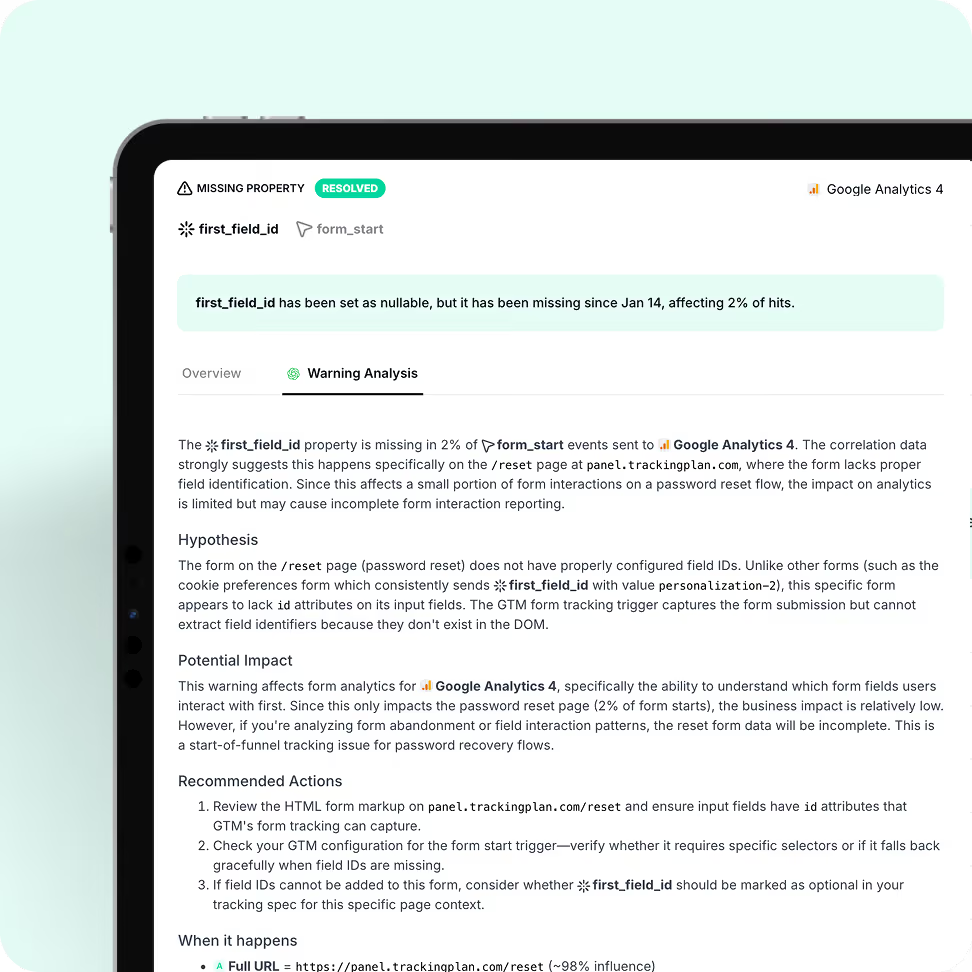
Pinpoint the root cause instantly

No more guesswork. Our AI-guidded debugger tells you exactly why an event, pixel, or consent flow isn’t working, with ready-to-use explanations for tickets or instant troubleshooting.

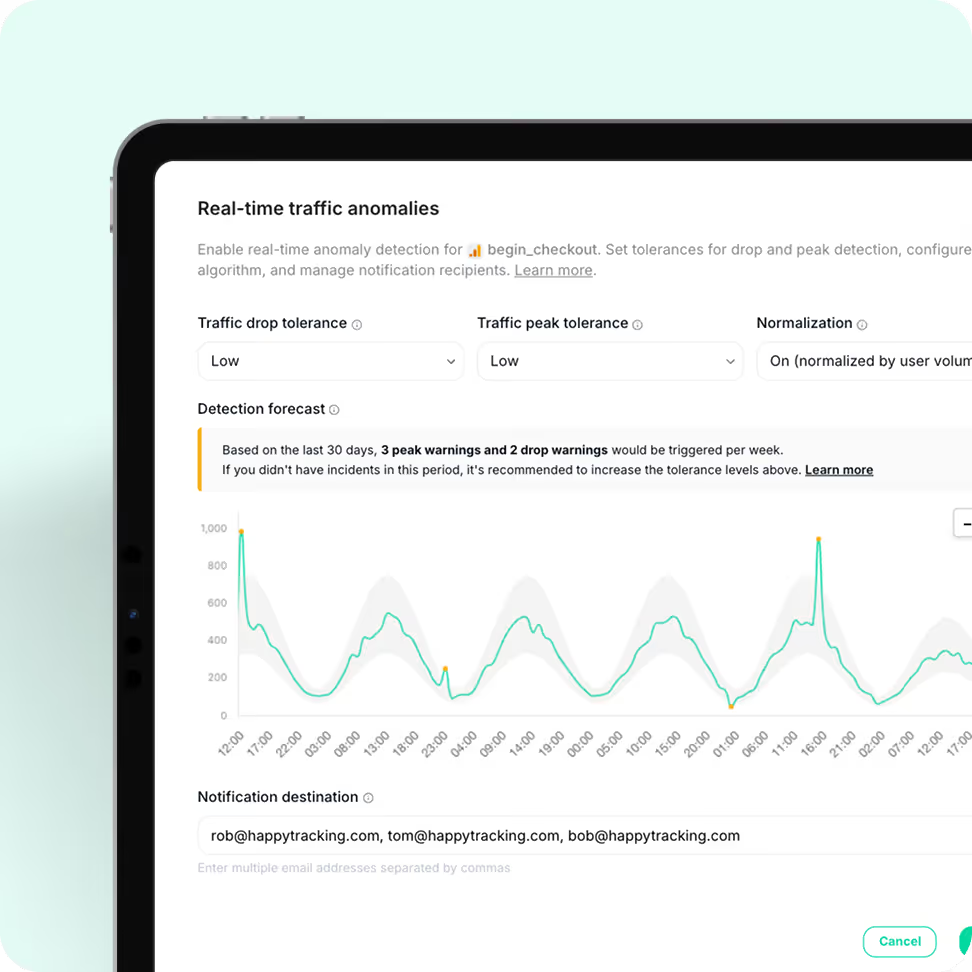
Fix anomalies before they break your data

Get clear insights on traffic anomalies and specification warnings as they happen, with actionable explanations to shorten resolution time.
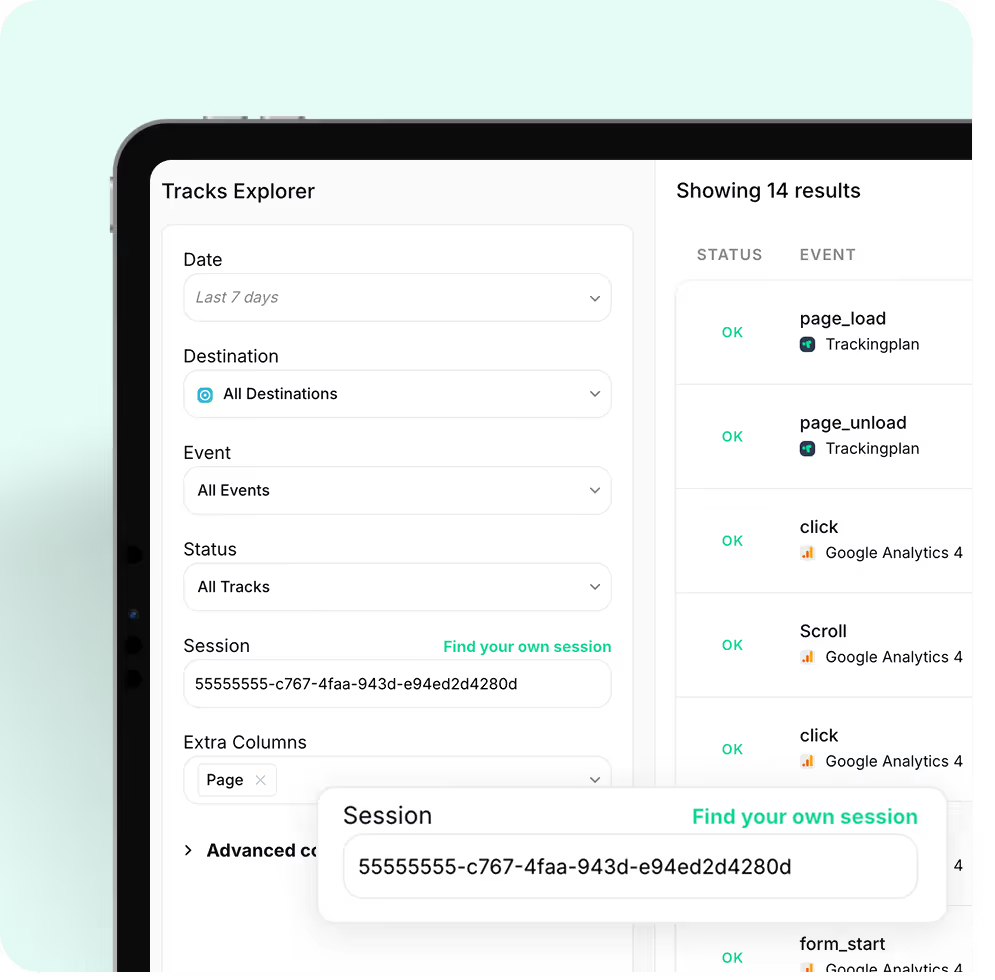
Tracking dashboard interface showing filter options for date, destination, event, status, and session ID with a list of 14 event results on the right.

Debug tracking faster by exploring real user sessions

Debugging tracking errors shouldn’t mean spending hours trying to reproduce what went wrong in the browser.
Explore real sessions and payloads with full visibility into what was sent, what wasn’t, and why. No emulators. No need to replicate the issue or the user’s environment. Just actual data from real users navigating your sites or apps.

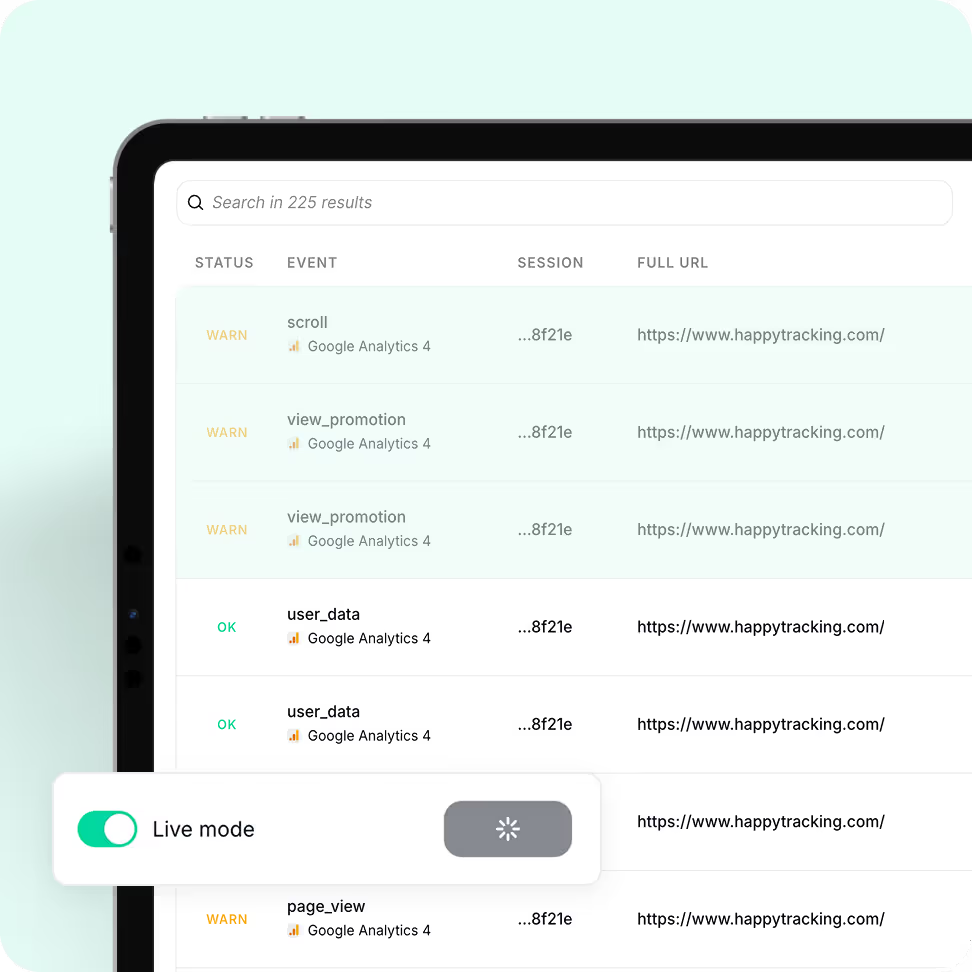
Live-debug your tracking in real time

Watch hits flow into your website or app as they happen, with instant visibility into the payloads being sent and how each user action translates into analytics events. And when working in high-traffic environments, simply isolate your session to focus on your own interactions.
Tablet screen showing an event tracking dashboard with event statuses like WARN and OK, event names, session IDs, and full URLs, plus a Live mode toggle switch turned on.

How it Works

Think of Trackingplan as your always-on AI assistant that makes sure your web and app tracking and analytics data is always accurate and reliable.
Soft gradient background blending light turquoise and white shades.
Large white number 1 on a black background.

Install it in minutes

Just copy and paste a lightweight JavaScript snippet into your Tag Manager or embed our SDK in your app.

Learn More
Soft gradient background blending light turquoise and white shades.
Large white number 2 on a black background.

It learns from your real app traffic

As soon as it’s installed, Trackingplan starts listening to your real user traffic to understand exactly how your tracking works – identifying patterns, detecting anomalies, and automatically mapping all events, properties, and destinations across tools – without manual input needed.

Learn More
Soft gradient background blending light turquoise and white shades.
Large white number 3 on a transparent background.

Continuous checks, without lifting a finger

With continuous 24/7 monitoring, Trackingplan watches your analytics around the clock, spotting changes and issues the moment they happen — be it a new version update, a tag change, a pixel that went offline, or anything else.

Learn More
Trusted by 485+ data-driven tech leaders
Havas LogoWpromote LogoAwaze LogoThrive Digital LogoBalearia LogoElogia LogoISDIN logoMaking science LogoScandiweb Logo
Havas LogoWpromote LogoAwaze LogoThrive Digital LogoBalearia LogoElogia LogoISDIN logoMaking science LogoScandiweb LogoMaking science LogoScandiweb Logo
Feature imageFeature imageFeature imageFeature image

The only way to do it was by opening the browser console and manually validating and debugging everything. And even then, there were numerous errors I couldn’t emulate on my own device.

Álvaro Salmerón
Digital Analytics Consultant at
On Top Media
Semmántica Logo
Read their story

Let’s see if we’re a match—data-style.

This isn’t a sales call—just a chance to understand what matters most to you, discuss any data quality concerns you may have, and share practical ways Trackingplan could support your goals (if it makes sense).
  
Any question?
Branded Trackingplan background
By clicking “Accept All Cookies”, you agree to the storing of cookies on your device to enhance site navigation, analyze site usage, and assist in our marketing efforts. View our Privacy Policy for more information.